

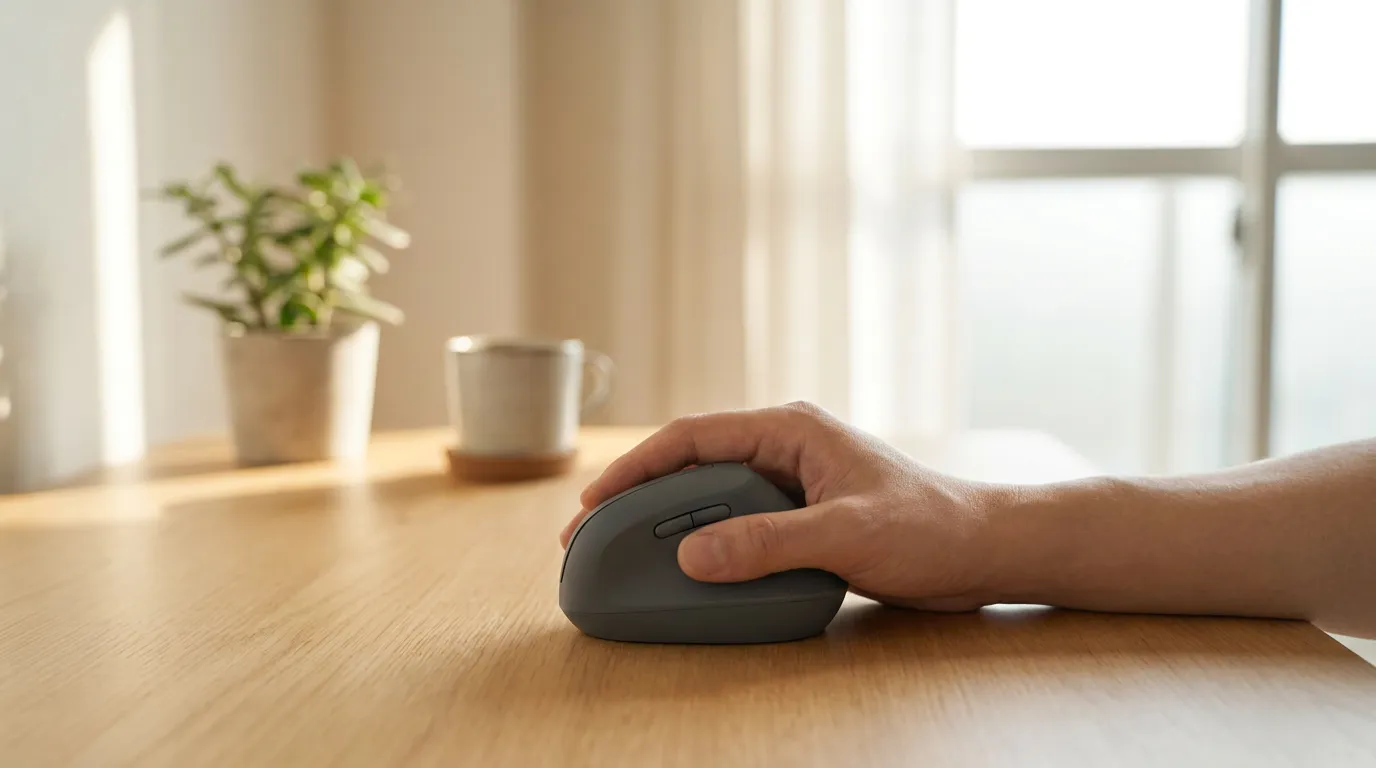
If you’ve already decided a vertical mouse makes sense for your desk, the next question is simpler than it looks: which one? The best vertical mouse depends mainly on three things — how it fits your hand, whether you need a left-handed version, and how much adjustability you actually want. Below are five models that occupy genuinely different positions on those axes, compared against verified manufacturer and authorized-retailer specifications, followed by a practical breakdown of how to match one to your hand and your workflow.
Still not sure a vertical mouse is the right category for you in the first place? How to Choose an Ergonomic Mouse walks through that decision by symptom and use case before you get here.
Affiliate disclosure: Some links in this article are affiliate links. If you purchase through them, we may earn a small commission at no additional cost to you. This helps support our research and keeps our guides free.
Table of Contents
Quick Picks
On a phone, swipe the table left or right to compare every column.
| Pick | Best for | Hand fit | Handedness | Key advantage | Main trade-off |
|---|---|---|---|---|---|
| Logitech Lift | Most people | Small–medium hands | Right; left-handed variant available | Balanced size, long AA battery life, broad device support | Fixed angle — no tilt adjustment |
| Logitech MX Vertical | Large hands | Medium–large hands | Right only | Larger than the Lift (largest among models with verified dimensions), rechargeable battery | No left-handed version |
| ProtoArc EM11 NL | Small hands / best value | Small–medium hands (manufacturer guidance: under 7.5 in) | Right only | Lowest price here, dual wireless modes | Fewer of the premium build touches you get at higher price tiers |
| Contour UniMouse | Best adjustable angle | Adapts across a range via tilt, rather than one fixed shape | Right; left-handed SKU available | 35°–70° adjustable tilt plus 5-way thumb support | No published DPI or dimensions, so it can’t be compared spec-for-spec against the others |
| Evoluent VerticalMouse 4 | Premium option | Fit guidance not independently verified | Right; wired left-handed VM4L available | 6-button layout, left-handed wired variant (VM4L) available | AA battery and a 2.4GHz dongle only — no Bluetooth on this model |
How to Choose a Vertical Mouse
Hand size and fit
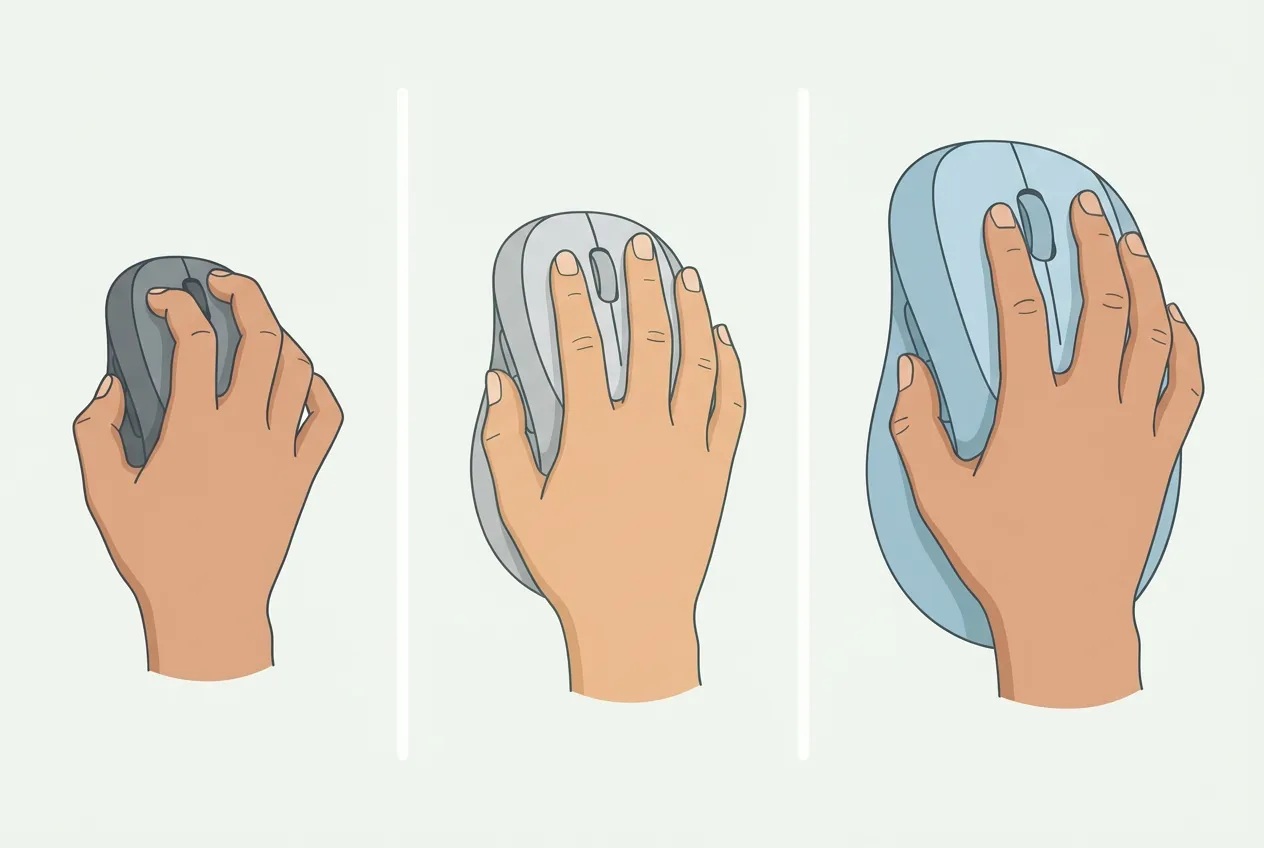
There’s no precise measurement that tells you exactly which vertical mouse will fit your hand — manufacturers don’t publish a sizing formula, and this guide won’t invent one. What the verified dimensions do tell you is relative size: the Logitech Lift (108×70×71mm, 125g) and ProtoArc EM11 NL (138×69.2×68.1mm, 112g) are both built toward smaller-to-medium hands, with ProtoArc explicitly marketing the EM11 NL for “hands under 7.5 inches.”
The Logitech MX Vertical (120×79×78.5mm, 135g) is noticeably wider and taller, which is why it’s positioned for larger hands. The Contour UniMouse sidesteps the sizing question differently — its adjustable tilt changes how your hand sits on the device regardless of its fixed footprint, which is a different kind of fit solution rather than a bigger or smaller shape.
Right- or left-handed?
This is worth real attention, because left-handed vertical mice are harder to find than right-handed ones, and the options that do exist aren’t identical to each other. Three of the five picks here have a left-handed path: the Logitech Lift has a left-handed variant with the same core specs as the standard model — same dimensions, same 125g weight, same battery life, just mirrored. The Contour UniMouse has a dedicated left-handed SKU. The Evoluent VerticalMouse 4 offers a left-handed option too, but only as the wired VM4L — there is no wireless left-handed Evoluent in this lineup, so if you need to stay wireless, that rules it out.
The Logitech MX Vertical and the ProtoArc EM11 NL recommendation here are both right-handed only, with no left-handed version currently available.
Fixed vs. adjustable angle?
Four of these five mice have one fixed vertical angle you either get along with or don’t. The Contour UniMouse is the exception — its 35°–70° tilt range lets you dial in how far your hand rotates, and its 5-way adjustable thumb support does something similar for where your thumb rests. That flexibility is a real feature, not a marginal one, but it isn’t a claim that a more adjustable angle is medically superior to a fixed one — it’s simply more tunable for people who aren’t sure what angle suits them, or whose preference changes through the day.
Button and thumb workload
If you rely on side buttons for navigation, copy/paste macros, or app-switching, button count and placement matter more than most spec sheets suggest. The Logitech Lift and ProtoArc EM11 NL both ship with 6 buttons; the Evoluent VerticalMouse 4 also has 6. The Contour UniMouse has 5 customizable buttons plus its adjustable thumb rest. The Logitech MX Vertical has the fewest at 4, all customizable — a reasonable trade if you mainly use a mouse for pointing and scrolling rather than heavy shortcut use, but worth noting if you currently lean on a lot of programmable buttons.
Connectivity and workflow
How you connect affects daily convenience more than most buyers expect going in. The Logitech Lift and ProtoArc EM11 NL both support switching between up to 3 devices over Bluetooth (Lift also supports Logi Bolt; EM11 NL also supports a 2.4G USB-A receiver) — useful if you move between a laptop and desktop.
The MX Vertical connects via Logitech Unifying or Bluetooth. The Contour UniMouse is available in both wired and wireless versions. The Evoluent VerticalMouse 4 reviewed here connects only via a 2.4GHz USB-A dongle, with no Bluetooth option on this variant. On power: the Lift and Evoluent both run on a single AA battery (roughly 24 months and 3 months respectively, per their listings), while the MX Vertical and EM11 NL are USB-C rechargeable.
Best Vertical Mouse Picks
1. Logitech Lift — Best Overall
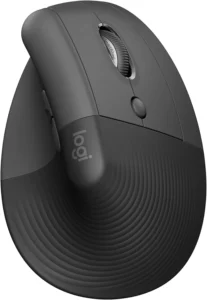
Best for: most people who want a well-supported vertical mouse without committing to the largest or most expensive option.
The Lift earns this slot by covering the middle of the market well rather than excelling at one extreme: a small-to-medium footprint, broad multi-device Bluetooth/Bolt support, and roughly two years of runtime on a single AA battery. Logitech also sells a left-handed Lift variant with the same core specs as the standard model — same 108×70×71mm dimensions, same 125g weight, same battery life — just mirrored for left-handed use, which extends this pick’s usefulness well beyond right-handed buyers alone.
Its 6 buttons, 4 of them customizable, give it more control surface than the MX Vertical without approaching the complexity of a fully programmable mouse. DPI is adjustable up to 4,000. The main trade-off is that it has one fixed angle — if you specifically want to tune tilt, that’s the Contour UniMouse’s role, not this one. For the full decision, see how the Lift compares to the MX Vertical.
Skip it if: you have notably large hands (see the MX Vertical) or you specifically want an adjustable tilt angle (see the UniMouse).
2. Logitech MX Vertical — Best for Large Hands
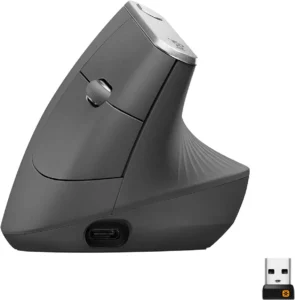
Best for: users whose hands feel cramped on smaller vertical mice and who don’t mind a right-hand-only design.
At 120×79×78.5mm and 135g, the MX Vertical is larger than the Lift and is the large-hand pick among the models with verified dimensions here, which is why it fills this role rather than overlapping with the Lift’s. It’s USB-C rechargeable (240mAh Li-Po, roughly 4 months per charge) and connects via Logitech Unifying or Bluetooth. It’s adjustable from 400 to 4,000 DPI.
Where it gives something up is button count: 4 customizable buttons, fewer than the Lift, UniMouse, EM11 NL, or Evoluent. It’s also right-hand only, with no left-handed version — if that’s a requirement, none of the fits here solve it and the Lift or UniMouse are the better starting points. For readers specifically weighing the Lift against the MX Vertical, see our Logitech Lift vs MX Vertical comparison; the short version is that the Lift suits most people and smaller-to-medium hands, while the MX Vertical’s larger chassis is built for larger hands.
Skip it if: you need a left-handed option, or you rely heavily on programmable side buttons.
3. ProtoArc EM11 NL — Best for Small Hands / Best Value
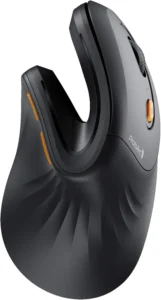
Best for: smaller hands, and anyone who wants to try a vertical mouse without a premium price tag.
ProtoArc markets the EM11 NL as optimized for “small to medium hands under 7.5 inches” — useful manufacturer guidance, not a universal sizing law, and worth treating as a starting point rather than a guarantee for your specific hand. At 138×69.2×68.1mm, it weighs 112g. It supports dual Bluetooth 5.0 plus a 2.4G USB-A receiver, switching across up to 3 devices, and charges via USB-C on a 500mAh battery.
Its 6 buttons put its button count on par with the Lift and Evoluent, at a fraction of the price — typically $22.99–31.99 versus $50 and up for the others. The trade-off is a narrower DPI selection (three fixed levels — 1000/1600/2400 — rather than a continuous adjustable range like the Lift’s or MX Vertical’s) and no left-handed version, unlike three of the other four picks here.
Skip it if: you specifically need a left-handed model — no left-handed EM11 NL is currently offered — or you want the longest possible track record from a brand.
4. Contour UniMouse — Best Adjustable Vertical Mouse
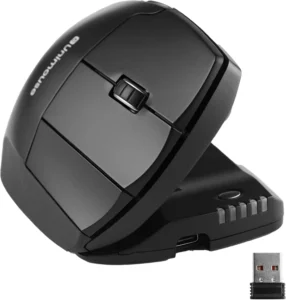
Best for: readers who aren’t sure what angle suits them, or whose ideal angle changes through the day.
The UniMouse’s defining feature is its 35°–70° adjustable tilt, paired with a 5-way adjustable thumb support — no other mouse in this lineup lets you change the angle at all. It’s available in both wired and wireless versions (roughly 6 months per charge on the wireless model), and in a dedicated left-handed SKU as well as the standard right-handed version. It has 5 customizable buttons.
One limitation worth flagging directly: Contour does not publish DPI, dimensions, or weight for the UniMouse on its own product pages, so it can’t be compared spec-for-spec against the other four picks here on those fields — this guide won’t estimate numbers Contour hasn’t published. Its adjustability is the reason to consider it regardless.
Skip it if: you’d rather compare hard specs across the board before deciding, or you want the simplest possible out-of-the-box setup with nothing to adjust.
5. Evoluent VerticalMouse 4 — Best Premium Option
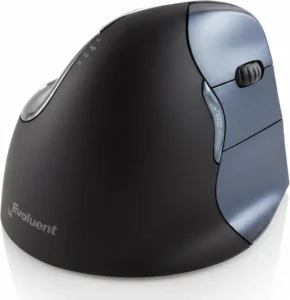
Best for: buyers who want the simplest, most conventional connection setup — AA battery, USB dongle — rather than Bluetooth or a rechargeable battery.
The VerticalMouse 4 carries 6 buttons — matching the Lift and EM11 NL — on a 2.4GHz RF connection via USB-A dongle, running on a single AA battery for roughly 3 months. A left-handed option exists in this lineup too, the VM4L, but it’s important to be precise about it: it’s a wired mouse, not a wireless one — if you want to stay cordless, the left-handed VM4L won’t do that for you.
Dimensions and weight for this specific right-hand wireless model aren’t independently confirmable from Evoluent’s own listings at the time of writing, so they’re left out here rather than estimated from third-party sources. At $150–160, it’s the most expensive pick in this lineup; that price does not include Bluetooth, which this specific model doesn’t support.
Skip it if: you want Bluetooth, you want to stay wireless in a left-handed configuration, or price is a primary factor — the EM11 NL or Lift will get you most of the same core function for less.
Who Should NOT Buy a Vertical Mouse?
You’re mainly trying to reduce how far your hand travels across the desk. A vertical mouse still moves across your desk the same way a standard mouse does — only its angle changes, not its range of motion. If reducing arm travel is your main goal, a trackball or another stationary pointing device may fit that goal more directly. Vertical Mouse vs Trackball compares the two approaches.
Your discomfort may be about setup, not mouse shape. Mouse and keyboard height, desk height, and how far you have to reach for your mouse all affect comfort independently of which mouse you use. If you haven’t checked those first, it’s worth ruling them out before assuming the mouse itself is the problem.
You already like your current mouse and have no specific reason to switch. Not everyone needs an ergonomic or vertical mouse — if nothing about your current setup bothers you, there’s no requirement to change it preemptively.
You have persistent or significant symptoms. This guide compares hardware, not treatment options. If you’re dealing with ongoing pain, numbness, or other significant symptoms, that’s worth discussing with a healthcare professional rather than solving through a product choice alone.
Best Vertical Mouse: Bottom Line
The best vertical mouse is the one that fits your hand without forcing your fingers to reach or your grip to tighten. Logitech Lift is the balanced choice for most small-to-medium hands, Logitech MX Vertical suits larger hands, ProtoArc EM11 NL is the value pick, Contour UniMouse offers the most angle adjustment, and Evoluent VerticalMouse 4 serves buyers who prefer a conventional USB receiver. Start with hand size and handedness, then compare angle, button placement, and connectivity. If the shape feels wrong during normal work, return it rather than trying to adapt to a poor fit.
FAQ
What is a vertical mouse?
A vertical mouse is a mouse designed to hold your hand at a more upright angle than a conventional flat mouse, so your hand rests in more of a handshake position instead of palm-down.
Do vertical mice actually help with wrist pain?
Vertical mice change the angle of your hand and forearm compared to a standard mouse, which is a real, measurable postural difference. That’s not the same as a proven treatment or prevention effect. In one study involving people with carpal tunnel syndrome, a vertical mouse changed wrist position but did not reduce carpal tunnel pressure (Schmid et al., 2015). If wrist pain is an ongoing concern for you specifically, Best Ergonomic Mouse for Wrist Pain goes into that in more depth than this page does.
Is a vertical mouse better than a trackball?
They solve different problems. A vertical mouse changes your hand and forearm orientation but still moves across the desk the way a standard mouse does. A trackball stays stationary — you move a ball or a surface instead of the whole device. Neither is universally “better”; which one suits you depends on what specifically bothers you about a standard mouse. Vertical Mouse vs Trackball covers that comparison directly.
Are vertical mice good for gaming?
Some people do use vertical mice for gaming, but that’s not what this guide is optimized for — the picks and comparisons here are built around office and productivity use, and around fit and ergonomic decisions rather than gaming performance.
Is there a left-handed vertical mouse?
Yes — three of the five picks here have a left-handed option: the Logitech Lift Left, the Contour UniMouse’s left-handed SKU, and the Evoluent VM4L (wired only). The Logitech MX Vertical and the ProtoArc EM11 NL recommended here are right-handed only.
How long does it take to get used to a vertical mouse?
There’s no fixed adjustment period that applies to everyone. How quickly it feels natural depends on things like your prior mouse habits, the device’s angle, how well it fits your hand, your sensitivity/DPI settings, and how much of your workflow depends on precise, fast movements.