

Affiliate disclosure: Some links in this article are affiliate links. If you purchase through them, we may earn a small commission at no additional cost to you. This helps support our research and keeps our guides free.
Choose the Logitech Lift if…
- You have small-to-medium hands
- You’re left-handed
- You’d rather replace an AA battery once every couple of years than think about charging
- You already use Logi Bolt peripherals
- You want the lower-priced option
- You want the longer US warranty
Choose the MX Vertical if…
- You have larger hands
- You’d rather recharge over USB-C than buy batteries
- You want a wired fallback for when the battery runs low
- You already use a Logitech Unifying receiver
Left-handed? The Lift is your only option of these two, the MX Vertical doesn’t come in a left-handed version.
If you have medium-size hands, you fall within Logitech’s stated positioning for both mice. In that case, let a secondary factor decide: battery preference, receiver ecosystem, or the $40 price gap.
Logitech Lift vs MX Vertical at a glance
Prices checked August 29, 2026.
Size and hand fit: the one difference that’s hard to undo
Almost everything else on this page is a preference. This one is closer to a fact about your hand.
The measurements side by side
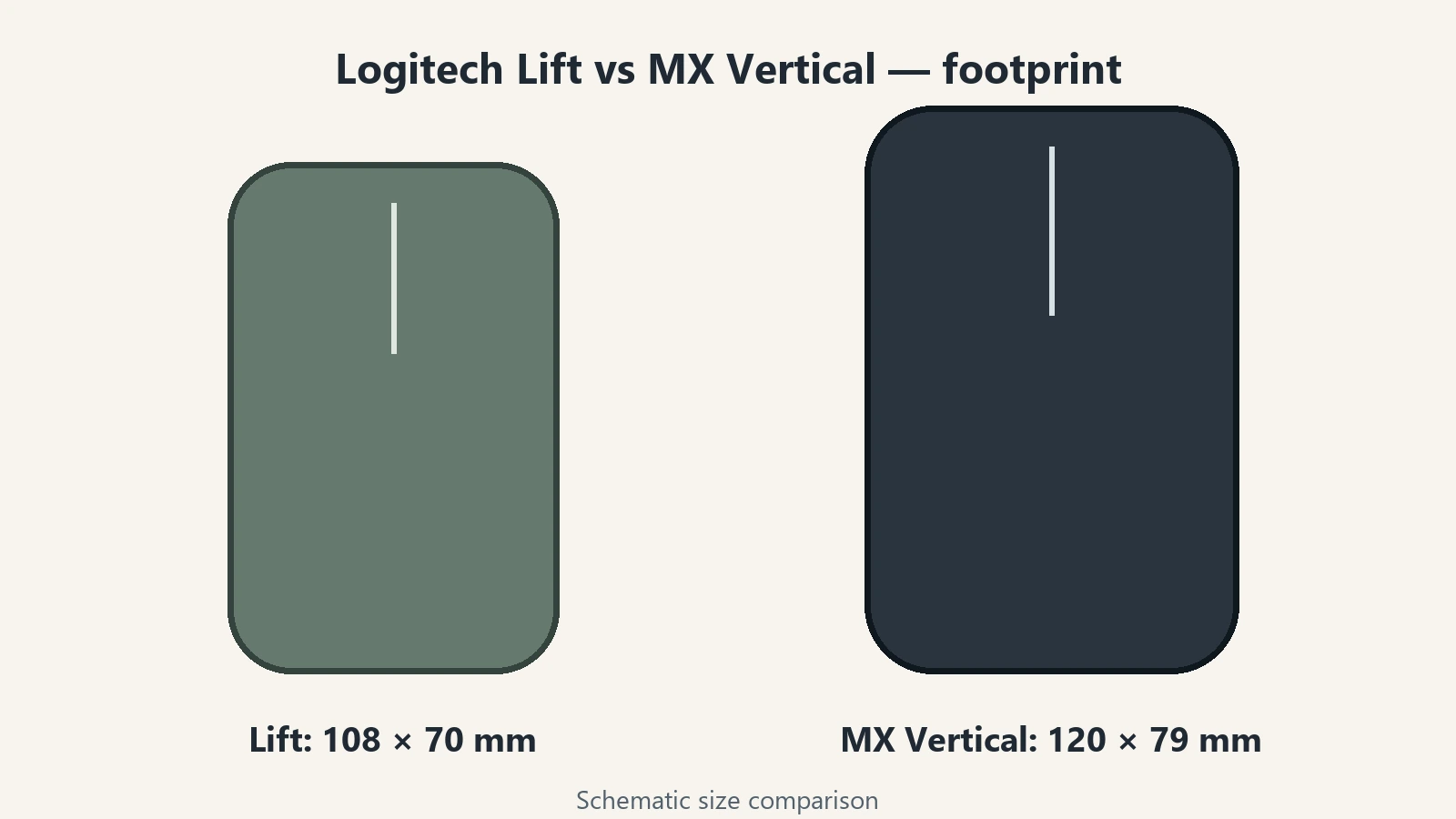
The Lift is the smaller of the two – about 12 mm shorter and 9 mm narrower – and Logitech positions it for small to medium hands. The MX Vertical‘s larger body gives bigger hands more surface area to rest on, and Logitech positions it for medium to large hands. RTINGS reaches the same conclusion independently.
How to check your fit without inventing a hand-size formula
Neither Logitech nor any independent reviewer publishes a hand-length cutoff for these two mice, and we’re not going to invent one. A more practical starting point uses the mouse you already have:
- Think about the mouse sitting on your desk right now. Does it feel cramped, about right, or noticeably too big to control comfortably?
- Compare its footprint to these two: the Lift at 108 × 70 mm, the MX Vertical at 120 × 79 mm.
- If your current mouse already feels a bit large in your hand, the Lift may be the more sensible starting point.
- If your current mouse feels small or your fingers curl past its edges, the MX Vertical gives you more to hold onto.
- Cross-check that instinct against Logitech’s own positioning – small-to-medium for the Lift, medium-to-large for the MX Vertical.
Which one suits you also depends on how your hand naturally rests on the mouse, not just its length, so if you’re genuinely between the two, this relative comparison is more useful than inventing a hand-length cutoff. Whichever you choose, check the return window wherever you buy, fit is the one thing a spec sheet can’t fully settle.
What Logitech and independent reviewers say?
Logitech’s own product pages state the Lift is “a great fit for small to medium hands” and the MX Vertical is built for “large to medium hands.” RTINGS’ side-by-side comparison independently confirms the same split: the MX Vertical suits larger-sized hands, the Lift suits smaller ones. Dygma’s hands-on comparison describes the Lift as “an incredibly safe choice” for small-to-medium hands, and the MX Vertical as the “gold standard for large hands” — a subjective hands-on impression, not a lab measurement.
Left-handed users: the Lift is the only option
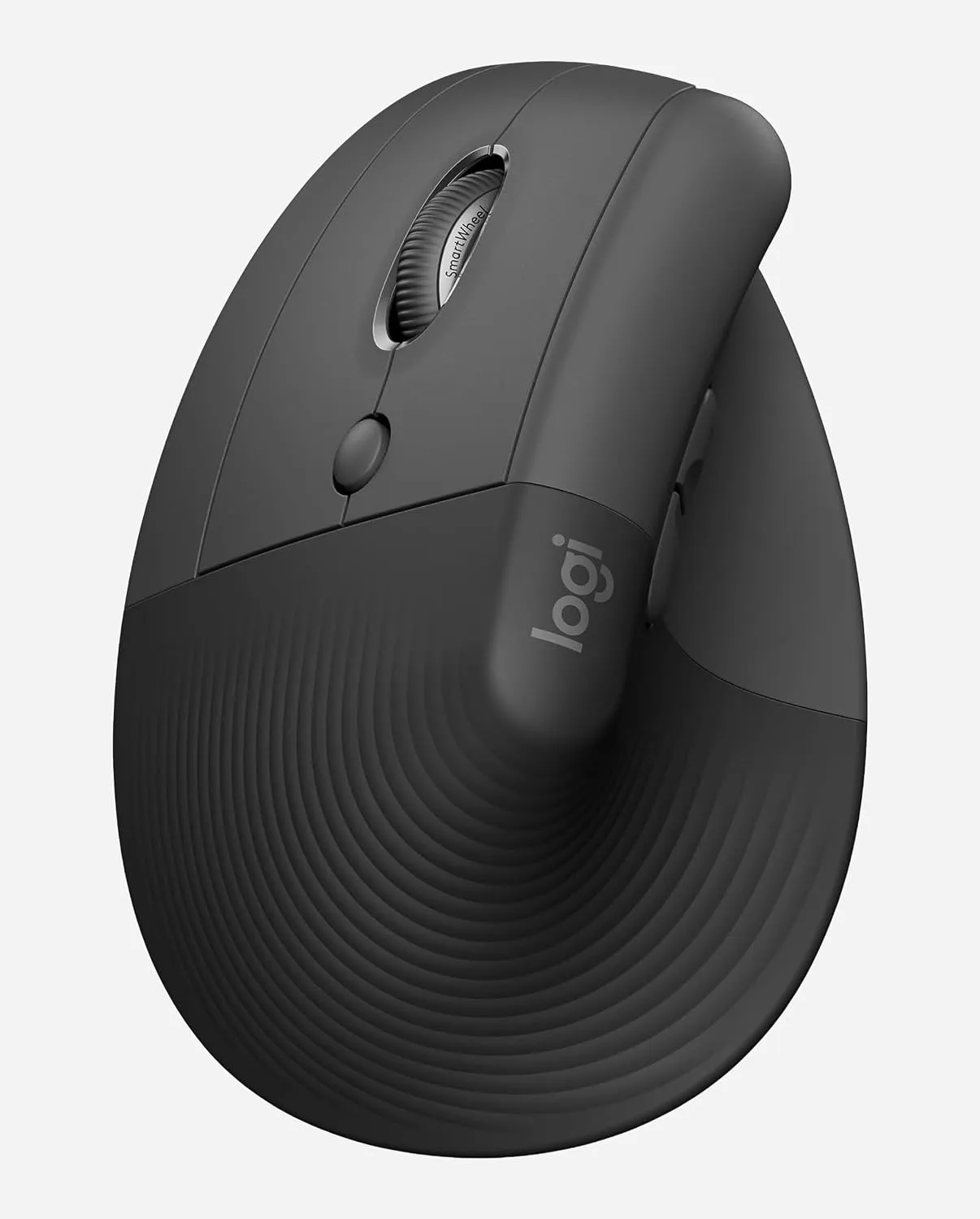
If you need a native left-handed vertical mouse, the decision is already made. Logitech sells Lift Left, a mirrored version of the standard Lift with the same dimensions, buttons, DPI range, battery and warranty. Logitech currently offers Lift Left as a native left-handed option, while the MX Vertical is right-handed only. If you need a left-handed version, the Lift Left is therefore the straightforward choice between these two.
Battery: one AA for up to two years, or USB-C recharging
This is a genuine preference fork, not a place where one mouse wins.
Lift runs on a single AA battery, rated for up to 24 months, and you swap it yourself when it runs out. There’s no wired mode, if the battery dies, the mouse is down until you replace it.
MX Vertical uses a built-in 240 mAh Li-Po battery, charged over USB-C, rated for up to 4 months per charge. If it runs low mid-task, you can plug in and keep working, the mouse functions normally while connected.
The practical question is which annoys you less: replacing a battery you rarely think about, or keeping a charging cable within reach every few months. Neither is objectively better overall, it’s an ownership preference, not a performance advantage.
Receivers and multi-device: Logi Bolt vs Unifying
This is one of the least-discussed differences between these two mice, and one of the more practical ones if you already own other Logitech gear.
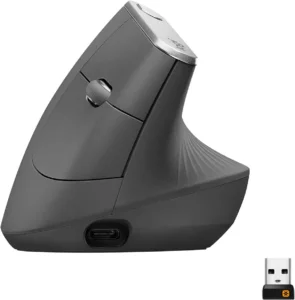
The Lift ships with a Logi Bolt USB receiver. The MX Vertical ships with a Logitech Unifying receiver. These are two separate wireless ecosystems, and they are not cross-compatible, a Bolt receiver won’t pair with a Unifying device, and vice versa. Both mice also connect over Bluetooth Low Energy, which works regardless of which receiver you use.
If you already use compatible Logi Bolt peripherals, choosing the Lift may let those devices share the same receiver. The same logic applies to compatible Unifying devices and the MX Vertical. Neither Logitech peripheral list determines your decision on its own, but for anyone trying to cut down on USB dongles, it’s worth checking before you buy.
Both mice support Easy-Switch across up to 3 paired devices and both work with Logitech Flow for moving your cursor between computers, full stop, no asterisk on either side.
What’s identical between the Lift and MX Vertical?
This is the part of the comparison most other pages skip, and it’s the one that actually changes how you should think about the $40 price gap.
The MX Vertical‘s higher price does not buy a steeper ergonomic angle, higher DPI, more customizable buttons, or more paired devices. Both mice offer:
- The same 57° vertical angle
- The same 400–4,000 DPI range
- The same 4 customizable buttons
- Easy-Switch across the same 3 devices
- Logitech Flow
- Logi Options+ software
- Roughly the same 10 m wireless range
The only functional difference in the controls is where the cursor-speed toggle sits — behind the scroll wheel on the Lift, on the top surface of the MX Vertical. It’s a real difference in muscle memory, not a meaningful difference in capability.
In other words: if you assumed the pricier mouse must be the more capable one, the spec sheet doesn’t back that up. The MX Vertical‘s premium is about size, chassis, and a rechargeable battery — not about doing more.
Price, warranty and value in 2026
At list price, the Lift runs $79.99 and the MX Vertical runs $119.99. Prices checked August 29, 2026.
The Lift also carries a longer US warranty, 2 years against the MX Vertical‘s 1 year. Combined with the lower price, that makes the Lift the easier default unless something specific pulls you toward the MX Vertical.
What that extra $40 actually buys is a larger chassis built for bigger hands, a rechargeable USB-C battery instead of a replaceable AA, a wired fallback option, and compatibility with a Unifying-based setup. None of that makes the MX Vertical the “better” mouse in the abstract, it makes it the better mouse for a specific hand size and a specific charging preference. Whether that’s worth $40 to you depends entirely on which side of those two questions you land on.
This comparison is based on current manufacturer documentation and attributed independent testing; ErgoLivingSpace did not physically test these two mice for this article. Review Methodology
Which should you buy?
If neither profile fits — your hands fall outside both ranges, or a vertical grip isn’t working for you at all — it’s worth stepping back to Best Vertical Mouse before committing to either.
Frequently asked questions
Is the MX Vertical bigger than the Logitech Lift?
Yes. The MX Vertical measures 120 × 79 × 78.5 mm. The Lift measures 108 × 70 × 71 mm — about 12 mm shorter and 9 mm narrower.
Is the MX Vertical or the Lift better?
Neither wins outright. The Lift fits smaller hands, costs less, carries a longer US warranty, and is the only one of the two available left-handed. The MX Vertical fits larger hands, recharges over USB-C instead of using a replaceable battery, and can be used wired. Which is “better” depends on your hand size and your charging preference more than anything else.
Does the Logitech Lift come in a left-handed version?
Yes. Lift Left, with the same specs, buttons, DPI range and battery as the standard right-handed Lift. The MX Vertical does not have a left-handed version.
Do the Lift and MX Vertical have the same DPI?
Yes. Both run 400–4,000 DPI with the same default 1000/1600 toggle. The MX Vertical‘s higher price doesn’t buy extra precision.
Can I use one USB receiver for both?
No. The Lift uses a Logi Bolt receiver and the MX Vertical uses a Logitech Unifying receiver — the two are not cross-compatible. Both mice can also connect over Bluetooth if you’d rather skip a dongle entirely.
Which is better for work and office use?
For day-to-day productivity, they’re close to equivalent: both offer 4 customizable buttons, Easy-Switch across 3 devices, Logitech Flow, and the same DPI range. The decision for office use comes down to hand fit, price, battery preference and which receiver ecosystem you’re already running — not raw capability.
Related guides
- Best Vertical Mouse
- Best Ergonomic Mouse for Wrist Pain — if wrist discomfort is the reason you’re shopping for a vertical mouse in the first place, that guide covers the fuller category and other options beyond these two.