

Table of Contents
Choosing the right ergonomic laptop stand for desk use is one of the highest-leverage ergonomic upgrades you can make. Raise your screen to eye level, pair it with an external keyboard, and the forward head posture driving tech neck, upper back tension, and shoulder fatigue disappears. Finding the best laptop stand for desk work means matching height range and build quality to your specific setup — this guide covers the top options in 2026, ranked and ready to buy.
Some links in this article are affiliate links. If you purchase through them, we may earn a small commission at no extra cost to you. This supports our research process.
Quick Picks
| Use Case | Pick |
|---|---|
| Best Overall | Rain Design iLevel2 |
| Best Budget | Lamicall Adjustable Stand |
| Best for Standing Desks | Lifelong Upryze |
| Best Portable | Roost Laptop Stand V3 |
| Best for Typists | Uncaged Ergonomics WorkEZ |
| Best Premium | Twelve South Curve Flex |
Comparison Table
| Product | Height Range | Weight Limit | Portability | Best For |
|---|---|---|---|---|
| Rain Design iLevel2 | 2.2″–17.4″ | 17″ laptops | Moderate | Desk workers, daily use |
| Lifelong Upryze | Up to 17″ | 17.3″ laptops | Low | Standing desk users |
| Roost Laptop Stand V3 | 4″–14″ (6 levels) | 16″ laptops | Excellent | Travel, multi-location work |
| Lamicall Adjustable | 6 fixed positions | 17″ laptops | Good | Budget buyers |
| Uncaged Ergonomics WorkEZ | Adjustable + tilt | 17″ laptops | Moderate | Typists, hybrid users |
| Twelve South Curve Flex | 2″–11″ (adjustable) | 17″ laptops | Good | Mac users, design |
🏆 Best Overall
Best for: ✓ Full-time desk workers ✓ Daily height adjustment ✓ Long-term desk use
Why we like it? : The iLevel2 sets the benchmark for any ergonomic laptop stand for desk use. Its spring-loaded one-hand mechanism gives a continuous 2.2″–17.4″ height range, locks instantly, and holds without wobble. For desk workers who need precise, repeatable positioning every day, nothing in this category comes close.
How We Selected These Laptop Stands?
The stands on this list were evaluated against four criteria that determine real-world ergonomic value for desk workers.
Height range was the primary filter. A stand that cannot raise your screen to eye level for your specific desk-and-chair combination provides limited ergonomic benefit. Every pick here offers a minimum of five inches of usable elevation.
Our evaluation considered manufacturer specifications, adjustability, stability, warranty coverage, and aggregated user feedback from major retailers and review platforms.
Stability under typing load separates genuinely usable stands from display pieces. Stands with documented wobble issues, weak locking mechanisms, or low-friction feet were excluded.
Commercial availability and value were weighted for each price tier. Every pick here is currently in stock, ships promptly, and delivers meaningful ergonomic return relative to its price.
Best Ergonomic Laptop Stand for Desk Work: Our Top 6 Picks
Finding the best ergonomic laptop stand for desk use comes down to matching height range and stability to your specific setup. Below are the six strongest options — the best laptop stand for desk picks across every budget and use case.
1. Rain Design iLevel2 — Best Overall Laptop Stand for Desk Setup
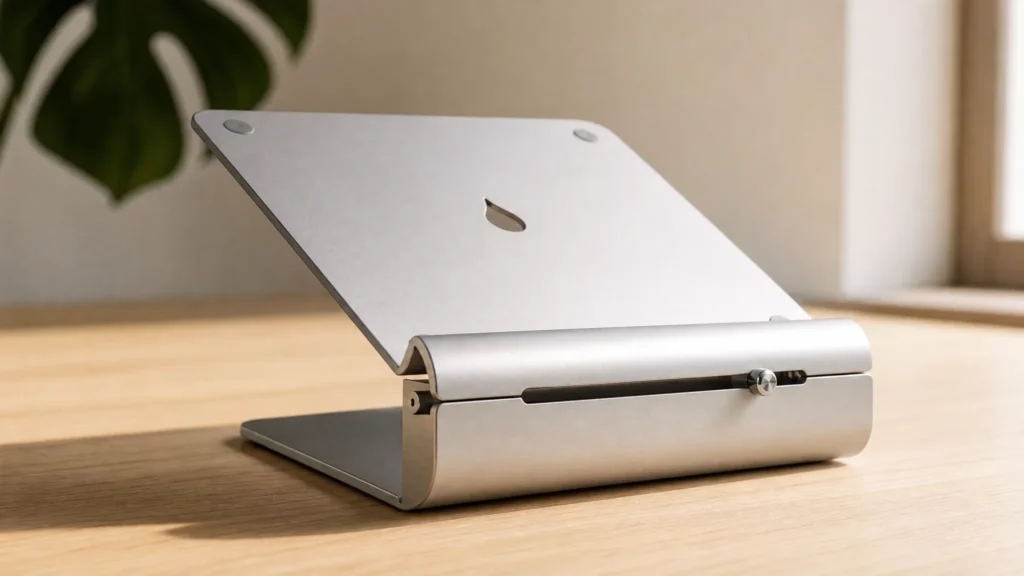
The iLevel2 is the benchmark ergonomic laptop stand for desk workers who need precise, daily-repeatable height adjustment. Its spring-loaded single-hand mechanism releases the column instantly — push the button, move to your height, release. The lock is immediate and solid. At 2.2 to 17.4 inches of continuous range, it accommodates virtually every desk and chair height combination.
Key Features: 2.2″–17.4″ continuous height range · spring-loaded one-hand adjustment · brushed aluminum · rubber laptop pad · non-slip desk feet · 5-year warranty
Pros: Widest continuous range available; one-hand adjustment is fast and precise; zero wobble at any height; premium build that lasts years
Cons: Larger desk footprint than portable stands; higher price than budget alternatives; not designed for travel
Why We Recommend It?
No other stand in this price range matches the combination of range and precision the iLevel2 offers. For a full-time desk worker who adjusts their setup regularly — switching between sitting and standing, or sharing a workstation — the one-hand adjustment alone is worth the price premium. It consistently tops independent ergonomist recommendations because it solves the positioning problem completely, with no compromise on precision or build quality. It is the best laptop stand for desk use among all options we evaluated.
→ Check Current Price on Amazon
2. Lifelong Upryze — Best for Standing Desk Users
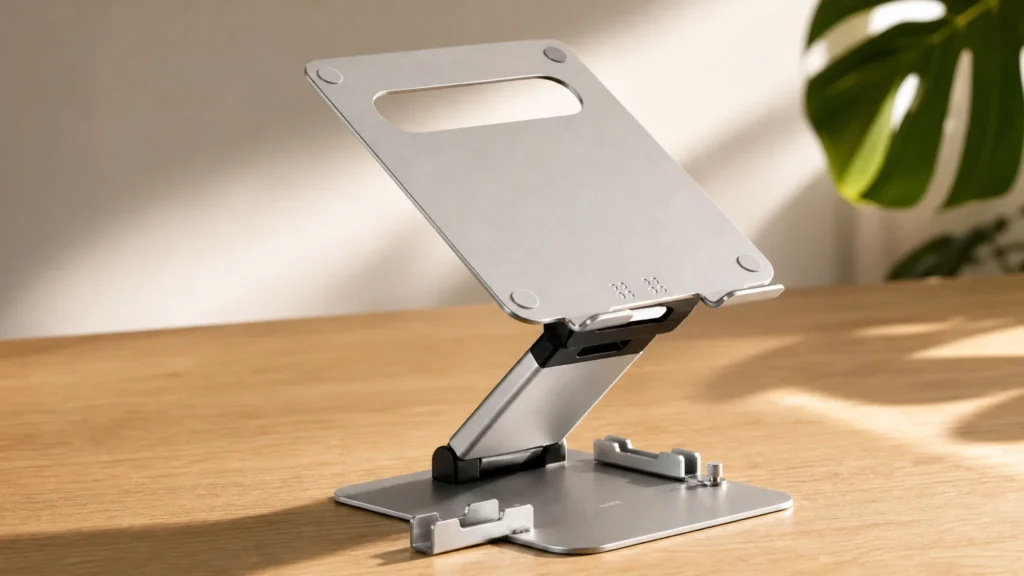
The Upryze was built specifically for sit-stand workflows. Where most laptop stands top out at nine or ten inches, the Upryze reaches seventeen — high enough to position a laptop screen correctly while standing at a full-height sit-stand desk. It is the stand Wirecutter consistently recommends in the tall-stand category, and the reason is simple: it does the one thing other stands cannot.
The adjustment uses notched positions rather than a continuous mechanism, which is slightly less precise than the iLevel2 but entirely functional for most users. The heavier steel construction is a direct contributor to its exceptional stability at maximum height.
Key Features: Up to 17″ elevation · notched height positions · heavy-gauge steel · silicone contact pads · supports laptops up to 17.3″
Pros: Only stand with enough height for true standing desk use; rock-solid at maximum elevation; well-priced for its build quality
Cons: Heavy and not portable; notched positions limit fine-tuning; large footprint
Why We Recommend It?
If you have a sit-stand desk and your laptop screen is still too low while standing, the Upryze is the only affordable fix. It is the strongest laptop stand for posture improvement in standing configurations and has no practical alternative at its price point.
→ Check Current Price on Amazon
3. Roost Laptop Stand V3 — Best Portable Laptop Stand
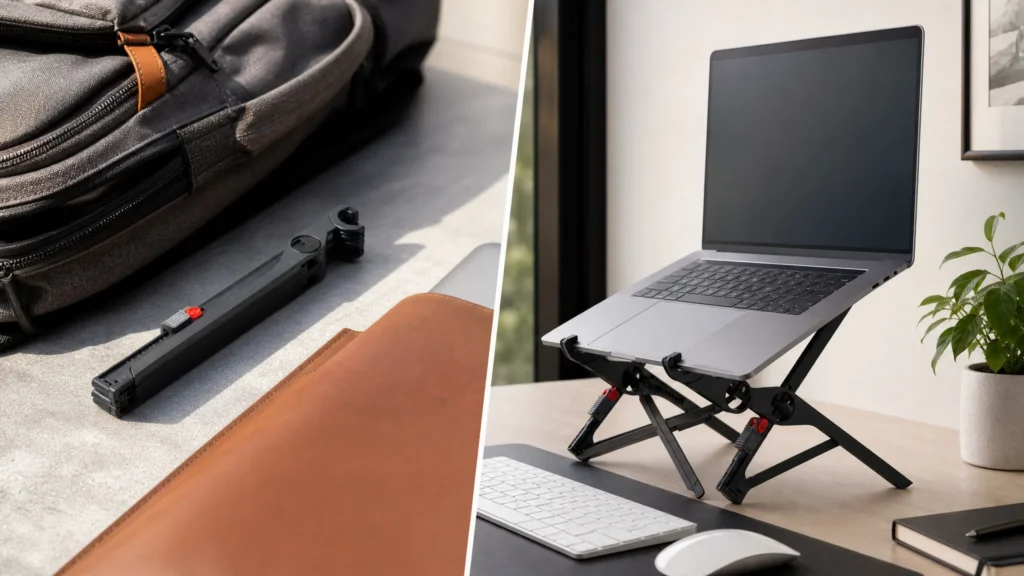
The Roost V3 collapses into a slim, pen-sized tube and weighs just 168 grams. It tucks into the side pocket of any laptop bag and is genuinely forgotten until you need it. For remote workers, frequent travelers, and anyone building a laptop stand for desk setup across multiple locations, it is the strongest portable option on the market.
Despite its minimal packed size, the V3 extends to six height positions between four and fourteen inches and supports laptops up to 16 inches with surprising rigidity. Based on manufacturer specifications and widespread user feedback across the travel and digital nomad communities, it holds its height settings firmly through full working sessions.
Key Features: 6 height positions (4″–14″) · collapses to pen-sized tube · ~168g · supports up to 16″ laptops · tool-free assembly · aircraft-grade nylon and fiberglass construction
Pros: Exceptionally packable without sacrificing height range; supports larger 15″–16″ machines; lightweight yet rigid; strong reputation among frequent travelers
Cons: Higher price than budget portable stands; requires two-hand setup; minimal desk footprint means careful placement on smaller surfaces
Why We Recommend It
The Roost V3 is the portable stand that professional travelers actually use. Where most compact stands offer two or three inches of elevation and call it ergonomics, the V3 gets your screen to proper eye-level height in any environment — hotel desk, café table, coworking space. No other packable stand matches its combination of height range, weight, and build confidence. For anyone serious about maintaining posture on the road, it earns its price premium.
→ Check Current Price on Amazon
4. Lamicall Adjustable Laptop Stand — Best Budget Pick
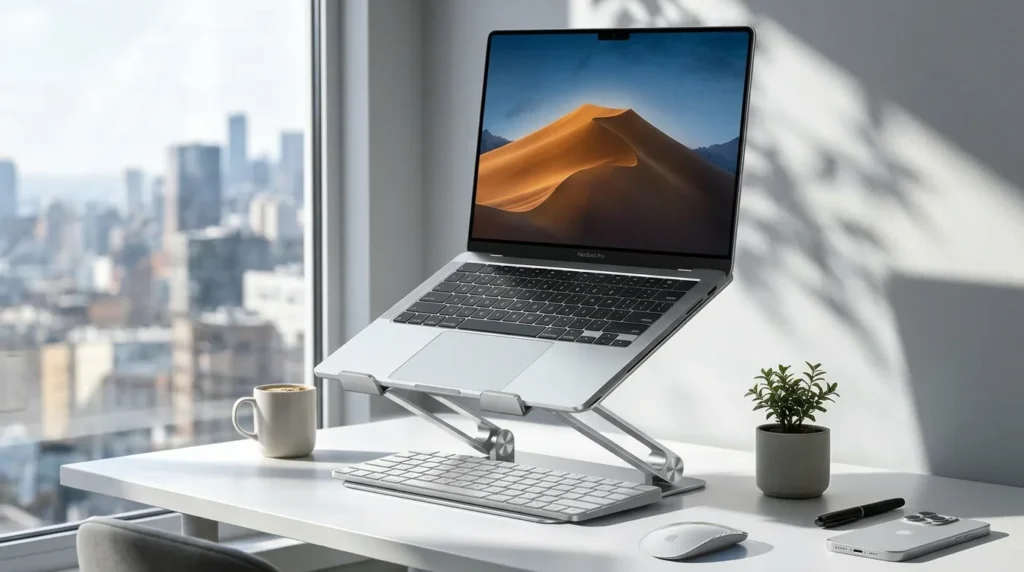
The Lamicall has become the default recommendation for first-time stand buyers, and the data supports it: consistently high ratings across tens of thousands of purchases, wide availability, and warranty support that is easy to access. It delivers the core ergonomic function — raising your screen to a healthy height — without compromising on structural integrity.
Six height positions cover a practical range for most standard desk setups. The aluminum and zinc alloy construction is more durable than pure-plastic alternatives at similar prices. Adjustment requires two hands, which is the main functional difference from a premium stand.
Key Features: 6 height positions · aluminum and zinc alloy build · silicone laptop pads · foldable · supports 10″–17″ laptops
Pros: Lowest price for genuine aluminum construction; widely available; excellent return rate; reliable starter stand
Cons: Two-hand adjustment; no micro-adjustment between fixed positions; build quality below premium options
Why We Recommend It?
The Lamicall is the right entry point for anyone trying a laptop stand for posture improvement for the first time. If the ergonomic benefit changes your workday — and for most desk workers it does — you will have the baseline to decide whether upgrading to a premium stand is worth it.
→ Check Current Price on Amazon
5. Uncaged Ergonomics WorkEZ — Best for Desk Typists
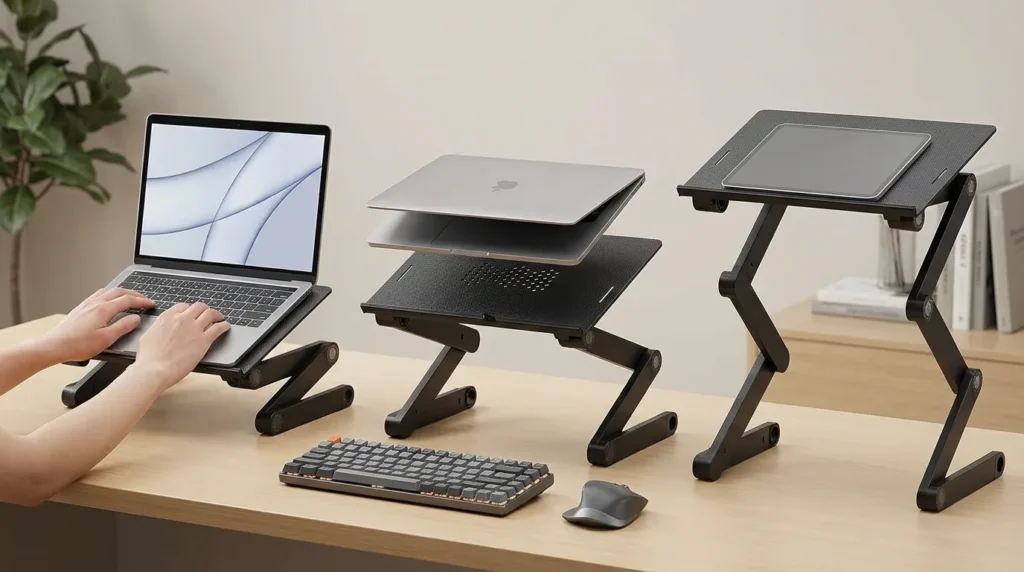
The WorkEZ is the only stand on this list with an integrated wrist rest and mouse pad. This makes it the natural choice for users who sometimes type directly on the laptop keyboard rather than switching fully to an external keyboard — a common pattern for hybrid workers, writers, and professionals who move frequently between locations and desk work.
Tilt and height are independently adjustable, allowing for a more customised ergonomic angle than most competing stands. The vented platform improves laptop cooling during extended sessions.
Key Features: Adjustable height and tilt (independently) · integrated wrist rest and mouse pad · vented platform · supports up to 17″ laptops
Pros: Integrated wrist support eliminates a separate accessory; independent tilt control; good ventilation; practical for hybrid keyboard use
Cons: Bulkier than minimalist stands; not portable; functional aesthetic only
Why We Recommend It?
The WorkEZ occupies a unique position in this category. No other stand combines genuine height and tilt adjustability with an integrated ergonomic platform at this price. It is particularly strong as a laptop stand for desk setup in creative and writing workflows where users alternate between laptop and external keyboard use.
→ Check Current Price on Amazon
6. Twelve South Curve Flex — Best Premium Pick
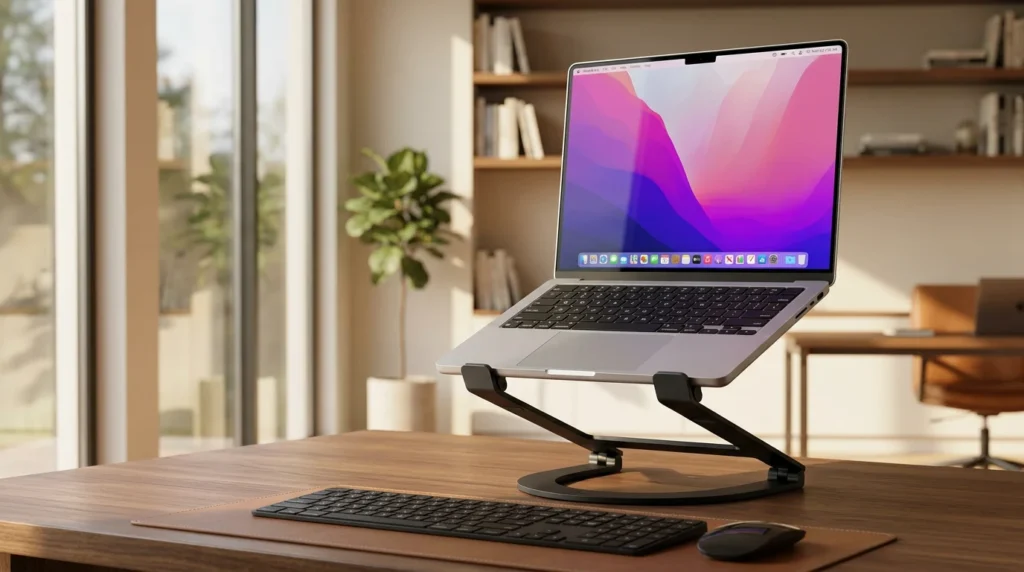
The Curve Flex is the stand Twelve South built for people who care about both ergonomics and how their desk looks. Unlike fixed-angle premium stands, it offers genuine height and angle adjustment through a smooth articulating arm — a mechanism that moves fluidly and locks without wobble. It is made from polished aluminum with a soft silicone cradle, and it looks at home next to a MacBook in a way few stands manage.
What sets it apart from every other premium pick: it gives you full adjustability without the industrial aesthetic that usually comes with it. The Curve Flex is engineered for desk workers who want precise ergonomic positioning and a workspace that still looks considered. If you are prepared to spend, this is where design and function genuinely converge.
Key Features: Continuous height and angle adjustment · polished aluminum construction · soft silicone laptop cradle · non-slip weighted base · supports MacBooks and laptops up to 17″ · cable channel for tidy desk routing
Pros: Adjustable height and tilt in a premium form factor; polished finish suits professional and home office environments; silicone cradle protects laptop base; cable management built in
Cons: Premium price point; heavier than travel stands; adjustment requires more deliberate repositioning than spring-loaded mechanisms
Why We Recommend It
For Mac users and design professionals who want a best-in-class desk presence and genuine height adjustability, the Curve Flex is the stronger choice over fixed-angle premium stands. It solves the trade-off that most premium options force — adjustability versus aesthetics — and does so without compromise. If your workspace matters to you as much as your posture, this is the stand worth the investment.
→ Check Current Price on Amazon
Why Desk Workers Need an Ergonomic Laptop Stand?
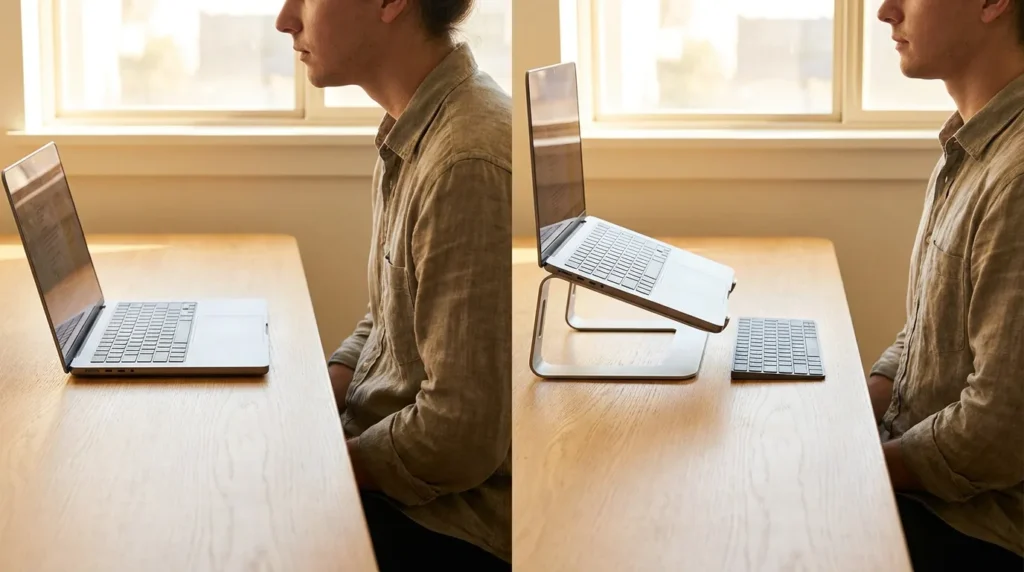
When a laptop sits flat on a desk, the screen is typically eight to twelve inches below eye level. Maintaining that viewing angle requires a forward head tilt. According to ergonomic research, a 45-degree forward tilt generates the equivalent of approximately 49 pounds of force on the cervical spine — a load that accumulates across every hour of a workday.
The fix is a properly configured ergonomic laptop stand for desk use that raises the screen to eye level. When your gaze is level, your head stays balanced over your shoulders, your cervical spine returns to a neutral position, and the muscular load driving neck strain and upper back tension disappears.
The prerequisite for this to work: an external keyboard and mouse. Raising the screen raises the laptop keyboard with it. A separate keyboard on the desk surface is not optional — it is what makes the ergonomic setup function as intended.
Our laptop ergonomics setup guide covers full workstation positioning, including chair height, monitor distance, and peripheral placement.
How to Set Up Your Ergonomic Laptop Stand for Desk Use?
Screen height: Sit in your normal working position with your spine relaxed and neutral. Adjust the stand until the top edge of the laptop screen aligns with your direct line of sight. Do not aim for the centre of the screen — the top edge is the benchmark.
External keyboard: Place it flat on the desk surface, close enough that your elbows remain near your sides and your forearms are roughly parallel to the desk. Pair it with an ergonomic keyboard for desk work — our tested shortlist covers the best options across every budget.
External mouse: Position it immediately to the side of the keyboard at the same surface level. An ergonomic mouse for wrist pain at desk level completes the neutral-arm setup.
Common mistakes: Setting the screen too low and assuming any elevation is sufficient; continuing to use the laptop keyboard after raising the stand; placing the external keyboard too far from the body. Verify against the top-of-screen rule above.
Our guide to using a laptop without neck pain covers every element of the setup in detail.
Laptop Stand vs. Laptop Arm
A laptop arm mounts to the desk edge and suspends the laptop on an articulating arm, freeing the desk surface entirely and offering a wider range of height and angle adjustment than any standalone stand. For most desk workers, a high-quality adjustable stand delivers sufficient adjustability at a fraction of the cost and installation effort.
Arms make the most sense for users who share workstations, need to reposition their screen frequently throughout the day, or have spatial constraints that make a desk-surface stand impractical.
Our laptop stand vs laptop arm for neck pain comparison covers when each solution is the better choice.
Frequently Asked Questions
What is the most ergonomic laptop stand?
For most full-time desk workers, the Rain Design iLevel2. Its continuous height range and one-hand adjustment give you precise, repeatable positioning every day. For standing desk users, the Lifelong Upryze is the clear choice.
Are laptop stands good for posture?
Yes, when used correctly with an external keyboard and mouse. Raising the screen eliminates the forward head tilt that drives tech neck and upper back tension in desk workers. Our how to fix tech neck guide covers the recovery and prevention side in detail.
How high should a laptop stand be?
High enough that the top edge of your screen aligns with your eye level when seated in a neutral, upright position. For most people at standard desk heights, this is five to ten inches of elevation. Measure against the top-of-screen rule rather than estimating.
Do I need an external keyboard with a laptop stand?
Yes, for the ergonomic benefit to function fully. When the screen is at eye level, the laptop keyboard is too high for neutral wrist and shoulder positioning. A separate keyboard placed flat on the desk completes the ergonomic setup. Our laptop ergonomics setup guide has the full positioning checklist.
Can a laptop stand prevent neck pain?
For neck pain caused by forward head posture from a low screen — the most common cause in laptop users — yes. A correctly configured laptop stand for posture improvement addresses the root cause directly. Persistent or severe pain warrants a full ergonomic audit and professional guidance.
Is a premium laptop stand worth it?
For users spending seven or more hours daily at a desk, yes. Precision adjustment, long-term stability, and build quality that lasts years justify the cost over repeated budget replacements. For occasional use, a Lamicall or Nexstand is entirely sufficient.
Final Recommendation
The best ergonomic laptop stand for desk work in 2026 depends on one question: what does your setup require?
For daily desk use, the Rain Design iLevel2 is the strongest all-round choice. For standing desks, the Lifelong Upryze. For portability without compromising posture, the Roost Laptop Stand V3. For the best budget entry point, the Lamicall. For a premium desk presence, the Twelve South Curve Flex.
Completing your laptop stand for desk setup with the right peripherals — external keyboard, ergonomic mouse, and correct screen height — is what transforms a laptop into a genuinely ergonomic workstation. Any of the picks above will make a measurable difference to how you feel at the end of a long working day.