

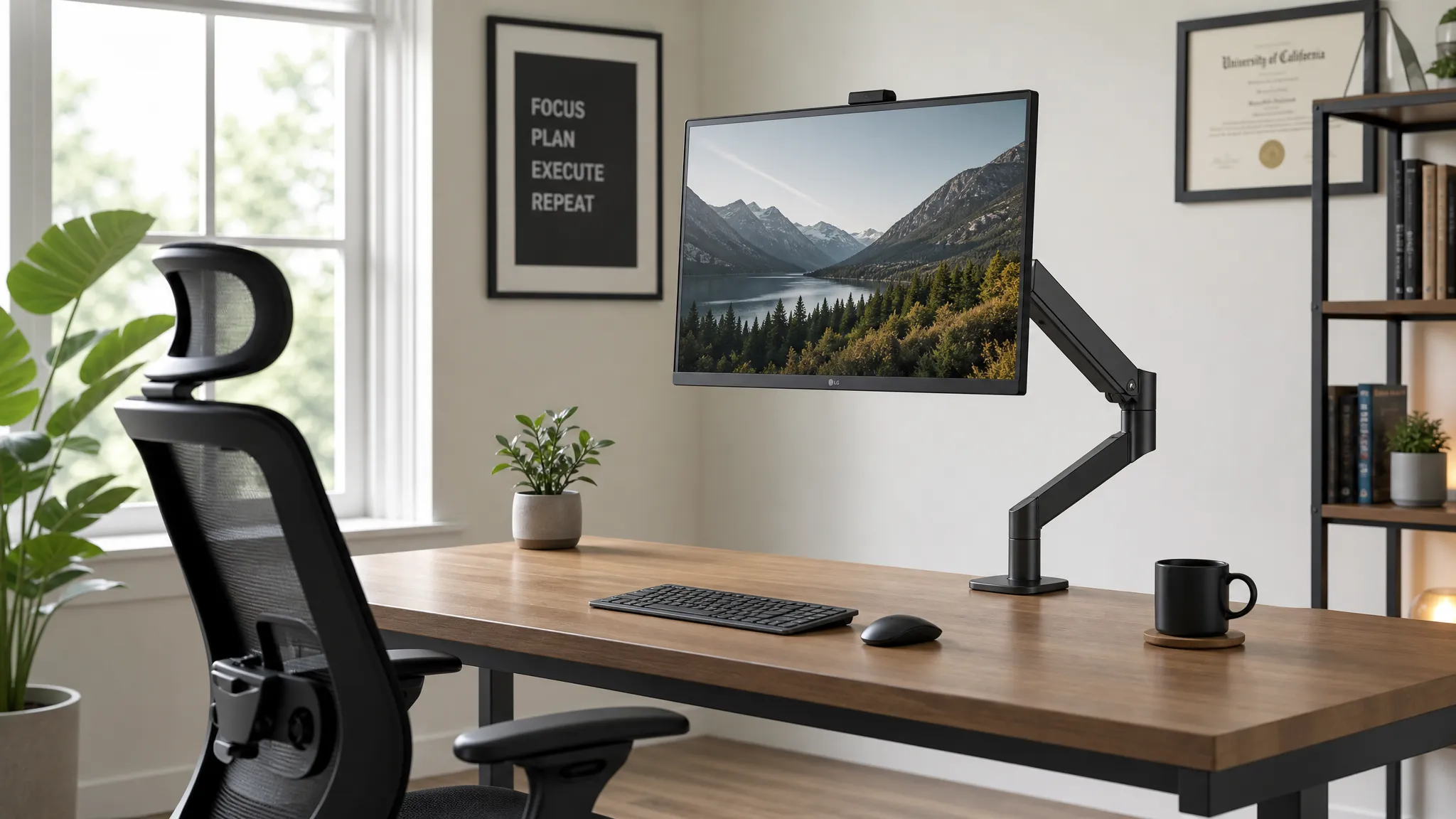
If your monitor is just sitting on its stock stand, your neck is paying for it. The best monitor arm for desk work fixes that by raising your screen to eye level, reducing forward head posture, and freeing up valuable desk space.
Most factory stands offer almost no meaningful height adjustment. The result? Your screen ends up too low, you tilt your head down to read it, and after a few hours your neck and shoulders start to ache. You have probably adapted to it without even noticing, but that slight forward head tilt compounds over time.
The best monitor arm for desk work fixes this in one move. It lifts your screen to the correct ergonomic height, lets you dial in the exact tilt and distance, and frees up several inches of desk space in the process. The difference is immediate.
The problem is that the market is flooded with cheap arms that wobble, sag after a week, or do not have enough height range to actually help. This guide cuts through the noise. Below are the five best monitor arms for desk work in 2026, chosen for ergonomic range, build quality, and real-world usability. All are available on Amazon with strong verified reviews.
Disclosure: This article contains affiliate links. If you buy through these links, we may earn a commission at no extra cost to you.
- Quick Recommendations
- What Is a Monitor Arm?
- What Makes the Best Monitor Arm for Desk Work?
- Best Monitor Arm for Desk Work: Comparison Table
- How to Choose the Best Monitor Arm for Desk Work
- The 5 Best Monitor Arms for Desk Work in 2026
- How Much Desk Space Does a Monitor Arm Save?
- How the Best Monitor Arm for Desk Work Improves Your Neck and Posture
- Best Monitor Arm for Desk Work vs. Monitor Stand: Which Should You Get?
- Running Two Monitors? Consider a Dual Monitor Arm
- How to Set Up Your Monitor Arm for Neck Pain Relief
- FAQ
- Our Verdict: The Best Monitor Arm for Desk Work
Quick Recommendations
Not sure where to start? Here are our top picks at a glance:
- Best Overall: Ergotron LX Desk Monitor Arm
- Best Budget: HUANUO Single Monitor Arm
- Best for Standing Desks: Ergotron MXV Desk Monitor Arm
- Best for Ultrawides: Ergotron HX Desk Monitor Arm
- Best Cable Management: Ergotron LX Pro (Upgraded)
Keep reading for full reviews, specs, and setup tips.
What Is a Monitor Arm?
A monitor arm is an adjustable mounting device that attaches to your desk and holds your monitor in mid-air, replacing the fixed factory stand. It lets you reposition your screen in height, depth, tilt, and swivel to match your exact ergonomic needs, typically with far greater range than any stock stand provides.
What Makes the Best Monitor Arm for Desk Work?
Before the picks, here is what actually matters when choosing the best monitor arm for desk work and an ergonomic desk setup.
Adjustment range. This is the most important spec. You need enough height travel to bring your monitor to eye level, plus enough tilt and swivel to eliminate glare without craning your neck. Cheap arms often have only 4-6 inches of height range. Look for at least 13-15 inches.
Weight capacity matched to your monitor. Every monitor arm has a maximum weight limit. A 27-inch monitor typically weighs 10-15 lbs. If your arm is rated for 10 lbs and your monitor is 12, you will end up with sag, the arm will slowly drift down through the day. Check the spec before you buy.
Gas spring vs. spring tension. Gas spring arms use compressed gas to counterbalance your monitor, making one-finger repositioning effortless. Tension-based arms require a tool to adjust resistance. Both work, but gas spring arms are far more pleasant to use day-to-day.
Mounting type. Most desk arms clamp to the edge of a desk or use a grommet. Clamp mounts work on the vast majority of desks and require no drilling. Confirm your desk thickness (most clamps accommodate 1-3 inches).
Cable management. Good arms route cables through internal channels so everything stays clean and cables do not pull on your monitor over time.
Best Monitor Arm for Desk Work: Comparison Table
| Product | Best For | Weight Capacity | Height Range | Our Rating |
|---|---|---|---|---|
| Ergotron LX | Best overall | 25 lbs | 13 in | 9.8/10 |
| Ergotron MXV | Standing desk users | 20 lbs | 14 in | 9.5/10 |
| HUANUO Single Arm | Budget pick | 26.48 lbs | 14 in | 9.0/10 |
| Ergotron HX | Large/heavy monitors | 42 lbs | 15 in | 9.6/10 |
| Ergotron LX Pro (Upgraded) | Cable management | 22 lbs | 13 in | 9.3/10 |
How to Choose the Best Monitor Arm for Desk Work
The best monitor arm for desk work is the one that matches your monitor weight, desk thickness, and daily adjustment needs. If you rarely move your screen, a sturdy budget arm can be enough. If you switch between sitting and standing, the best monitor arm for desk work should use a smooth gas spring so height changes are quick and repeatable.
For most home offices, the best monitor arm for desk work should support at least 20 lbs, offer roughly 13 inches or more of height range, and include cable routing that keeps cords from pulling on the display. For ultrawide monitors, the best monitor arm for desk work must have a higher weight rating so the screen does not sag over time.
The 5 Best Monitor Arms for Desk Work in 2026
Use this list to choose the best monitor arm for desk work based on your monitor size, desk type, budget, and posture needs.
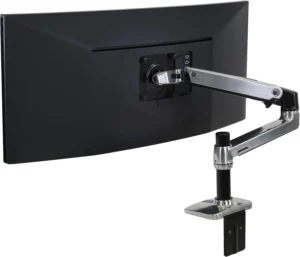
1. Ergotron LX Desk Monitor Arm : Best Overall
Amazon rating: 4.7★ (275+ verified reviews)
Price: ~$175–220
Weight capacity: Up to 25 lbs
Height adjustment: 13 inches
Best for: Most single-monitor setups up to 34 inches
The Ergotron LX has been the benchmark ergonomic monitor arm for years, and 2026 has not changed that. The gas spring mechanism is silky smooth, you can reposition your screen with two fingers and it stays exactly where you put it. No wobble, no sag, no drift through the day.
The 13-inch height range is enough for most people to reach a proper eye-level position. Tilt adjusts from -5 to +90 degrees, pan goes 180 degrees, and the arm rotates 360 degrees for portrait orientation if you work with long documents. Cable management channels are built in.
The smooth gas spring means you will actually reposition it when your setup changes; rather than leaving the screen at the wrong height because adjustment is a hassle. For most single-monitor users, this is the best monitor arm for desk work if you want premium stability without buying an oversized heavy-duty arm.
What we like: Gas spring precision, excellent height range, build quality that feels genuinely premium
What to know: 25 lbs max will not hold the largest ultrawides; see the Ergotron HX for those
Best for: Remote workers and home office users who want premium ergonomic positioning without a standing desk.
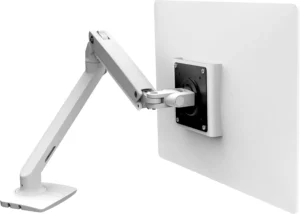
2. Ergotron MXV Desk Monitor Arm : Best for Standing Desks
Amazon rating: 4.7★ (150+ verified reviews)
Price: ~$220–270
Weight capacity: Up to 20 lbs
Height adjustment: 14 inches
Best for: Sit-stand desk users who want a premium arm with a slim, modern profile
The Ergotron MXV is Ergotron’s sleeker, more design-forward arm, same gas spring engineering as the LX but with a slimmer profile and a cleaner aesthetic. It is an ideal choice for standing desk users who want an arm that looks as good as it functions.
The gas spring handles monitors up to 20 lbs effortlessly, and the 14-inch height range provides plenty of travel between seated and standing positions. Tilt, pan, and rotation all adjust smoothly. Cable management is built in and handles most cable configurations cleanly.
For standing desk users, the ability to quickly reposition your monitor as you transition from sitting to standing is critical. This is the best monitor arm for desk work if your setup changes height several times a day. The MXV’s gas spring makes repositioning a one-second task, so you will actually do it every time.
What we like: Slim premium design, reliable Ergotron gas spring, 14-inch height range ideal for sit-stand setups
What to know: 20 lb limit means it will not handle the heaviest displays
Best for: Standing desk users who want premium ergonomic performance with a minimal, design-conscious aesthetic.
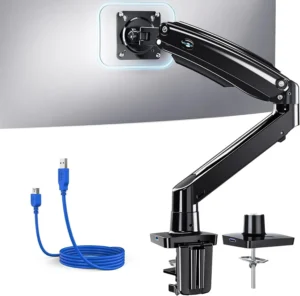
3. HUANUO Single Monitor Arm : Best Budget Pick
Amazon rating: 4.5★ (1,000+ verified reviews)
Price: $55–75
Weight capacity: Up to 26.48 lbs
Screen size: 13-49 inches
Best for: Budget setups, home offices, monitors up to 49 inches
The HUANUO Single Monitor Arm is one of the best-value arms on Amazon, and its specs actually outperform most arms in its price range. With a 26.48 lb weight capacity and support for screens up to 49 inches, it handles monitors that more expensive arms cannot.
It includes a built-in USB port on the arm itself, which is a genuinely useful feature for connecting peripherals without reaching behind your monitor. The base comes with both a C-clamp and grommet mount option, giving you flexibility for different desk setups.
Adjustment is tension-based rather than gas spring, so repositioning requires more deliberate force than the Ergotron arms. But once calibrated to your monitor’s weight, it holds position reliably and the ergonomic benefit — getting your screen to eye level — is exactly the same.
Pairing this arm with a well-positioned ergonomic keyboard for neck pain and an ergonomic mouse for wrist comfort creates a solid low-cost ergonomic workstation.
What we like: Outstanding value, 26.48 lb capacity, built-in USB port, fits monitors up to 49 inches
What to know: Tension-based (not gas spring), so repositioning is less fluid than the Ergotron arms
Best for: Budget-conscious home offices that need a capable, wide-ranging arm without paying premium prices.
4. Ergotron HX Desk Monitor Arm : Best for Large or Heavy Monitors
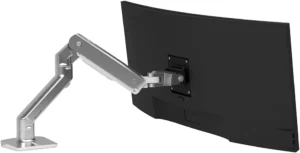
Amazon rating: 4.7★ (322+ verified reviews)
Price: $295–365
Weight capacity: Up to 42 lbs
Height adjustment: 15 inches
Best for: Ultrawides, 34-49 inch monitors, heavy displays
If you are running a large ultrawide, a 4K panel, or any monitor over 25 lbs, the Ergotron LX simply is not rated for the job. The Ergotron HX is. With a 42 lb weight capacity, it handles monitors that would overwhelm any other arm on this list.
The gas spring is engineered for heavier loads — even with a 35-inch ultrawide mounted, repositioning is smooth. Build quality is outstanding; this feels like professional equipment, which it essentially is.
Large monitors are ergonomically challenging precisely because they are heavy — underpowered arms sag and drift, which forces you to gradually tilt your head down to compensate. The HX eliminates that drift entirely, keeping your large screen locked at the height your neck needs. For heavy displays, this is the best monitor arm for desk work because it has the capacity standard arms lack.
What we like: Enormous weight capacity, premium gas spring, handles monitors most arms cannot
What to know: Only worth the premium for monitors over 25 lbs or screens larger than 34 inches
Best for: Ultrawide monitor owners and anyone running a large or heavy display that standard arms cannot hold steady.
5. Ergotron LX Pro (Upgraded) : Best for Cable Management
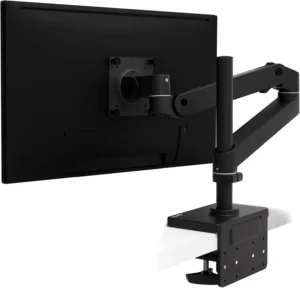
Amazon rating: 4.3★ (19+ verified reviews)
Price: $250–315
Weight capacity: 4-22 lbs
Height adjustment: 13 inches
Best for: Clean desk setups with multiple cables, ultrawide monitors up to 34 inches
The upgraded Ergotron LX Pro is Ergotron’s most cable-management-focused arm. The tall pole design and wider internal channels cleanly route your monitor cable, power cable, and USB connections completely out of sight — a meaningful upgrade over the standard LX if you run multiple cables to your display.
It is a newer release with fewer reviews than other Ergotron arms, but the engineering is the same trusted Ergotron gas spring platform. The tall pole gives extra height clearance that works especially well on standing desks or deep desks where you need the monitor positioned further back.
A clutter-free desk also supports better posture — visible cable tangles often cause subtle postural compensation as you shift to avoid them. The LX Pro’s internal routing removes that interference entirely.
What we like: Superior cable management, tall pole for extra clearance, trusted Ergotron gas spring
What to know: Newer product with limited reviews; 22 lb cap means it is not for the heaviest monitors
Best for: Minimalist setups where hidden cables and a clean desk aesthetic are the priority.
How Much Desk Space Does a Monitor Arm Save?
Most factory monitor stands occupy 8-12 inches of desk depth and a similar footprint in width. A monitor arm mounts to the desk edge and lifts the screen entirely off the surface, reclaiming that full area. In practice, that is typically 2-4 square feet of usable workspace returned. A less cluttered desk also makes it easier to maintain the correct foot rest position under your desk for proper hip and spine alignment.
How the Best Monitor Arm for Desk Work Improves Your Neck and Posture
The connection between monitor arm and neck health is biomechanics. Research on cervical spine loading and OSHA computer workstation guidance both point to the same practical goal: keep the top of the monitor at or just below eye level and avoid sustained forward head posture. At a neutral position the head exerts roughly 10-12 lbs of force on the cervical spine. At just 30 degrees of forward tilt, that effective load rises to approximately 40 lbs. Over a six-to-eight-hour workday, that sustained load is a direct cause of the neck pain, upper back tension, and headaches that desk workers commonly report.
A monitor arm lets you raise the screen until your gaze lands at the top third of the display while sitting with your neck upright and neutral. For a full breakdown, see our guide to ideal monitor height for desk work.
If you are already dealing with tech neck symptoms, the monitor arm is one half of the solution. The other half is active recovery — see how to fix tech neck for the exercises that work alongside a better setup.
Best Monitor Arm for Desk Work vs. Monitor Stand: Which Should You Get?
A monitor stand is a static riser, it elevates your screen by a fixed amount (typically 4-6 inches) and does not move. The best monitor arm for desk work attaches to your desk and lets you reposition the screen in three dimensions.
Our detailed monitor arm vs. monitor stand comparison breaks down exactly when each makes sense.
Running Two Monitors? Consider a Dual Monitor Arm
Everything above covers single-monitor setups. If you are running two screens, a dual monitor arm lets you position both displays at consistent ergonomic heights and reclaim even more desk space. We will be covering the best dual monitor arms in an upcoming guide.
How to Set Up Your Monitor Arm for Neck Pain Relief
Height: Your monitor should sit so that your eye line lands at or just below the top of the screen. Most people need to raise their monitor 3-6 inches higher than the stock stand allowed.
Distance: Roughly 20-24 inches from your face. If your monitor is larger than 27 inches, push it back slightly further.
Tilt: Tilt the screen back 10-20 degrees so the top leans slightly away from you.
Test and adjust: Sit with your eyes closed, open them naturally, and look at where your gaze lands without moving your head. Adjust your monitor height until the top third of the screen sits right there.
A final rule of thumb: the best monitor arm for desk work should let you change height, depth, and tilt without tools after installation. Use a dedicated monitor distance guide to set the screen depth after the arm is installed. If an arm makes adjustment annoying, you are less likely to keep the monitor in the ergonomic position your neck needs.
FAQ
Which monitor arm is best for desk work?
The best monitor arm for desk work for most users is the Ergotron LX because it combines stable height adjustment, smooth repositioning, strong build quality, and enough range for most 24- to 34-inch monitors.
Do monitor arms fit any desk?
Most monitor arms come with a clamp that fits desktops 1-4 inches thick. Always check your desk thickness and edge style against the arm’s clamp range before ordering.
Can a monitor arm hold a 27-inch or 32-inch monitor?
Yes, but verify the weight. A 27-inch monitor typically weighs 10-14 lbs. A 32-inch monitor can weigh up to 18-22 lbs. Check your monitor’s spec sheet against the arm’s rated capacity.
Is a monitor arm worth it for a home office?
For most people who work at a desk for more than 4 hours a day, yes. The ergonomic benefit is real, and the recovered desk space is a bonus.
Will a monitor arm stop my neck from hurting?
A monitor arm removes one of the most common ergonomic causes of neck pain: improper screen height. See our guide to how to fix tech neck for recovery exercises.
What is the difference between a gas spring and a tension-based arm?
Gas spring arms use compressed gas to counterbalance your monitor’s weight, allowing effortless one-finger repositioning. Tension-based arms use mechanical spring resistance you calibrate during setup.
Our Verdict: The Best Monitor Arm for Desk Work
If you want one recommendation: the Ergotron LX is the best monitor arm for desk work for most people because it offers the most reliable mix of height range, stability, smooth adjustment, and long-term build quality. The gas spring is class-leading, the build quality is exceptional, and the ergonomic improvement is exactly what most desk workers need.
On a budget, the HUANUO Single Monitor Arm delivers exceptional value — its 26.48 lb capacity and 49-inch compatibility actually outspec many pricier options. For standing desks, the Ergotron MXV delivers premium performance with a cleaner aesthetic. For large ultrawide monitors, the Ergotron HX is the only sensible option.
Whatever arm you choose, pair it with the right monitor height — check our ideal monitor height guide to dial in your positioning after installation. And if you are building out a full ergonomic setup, do not overlook a good ergonomic mouse for wrist pain and a foot rest under your desk.