

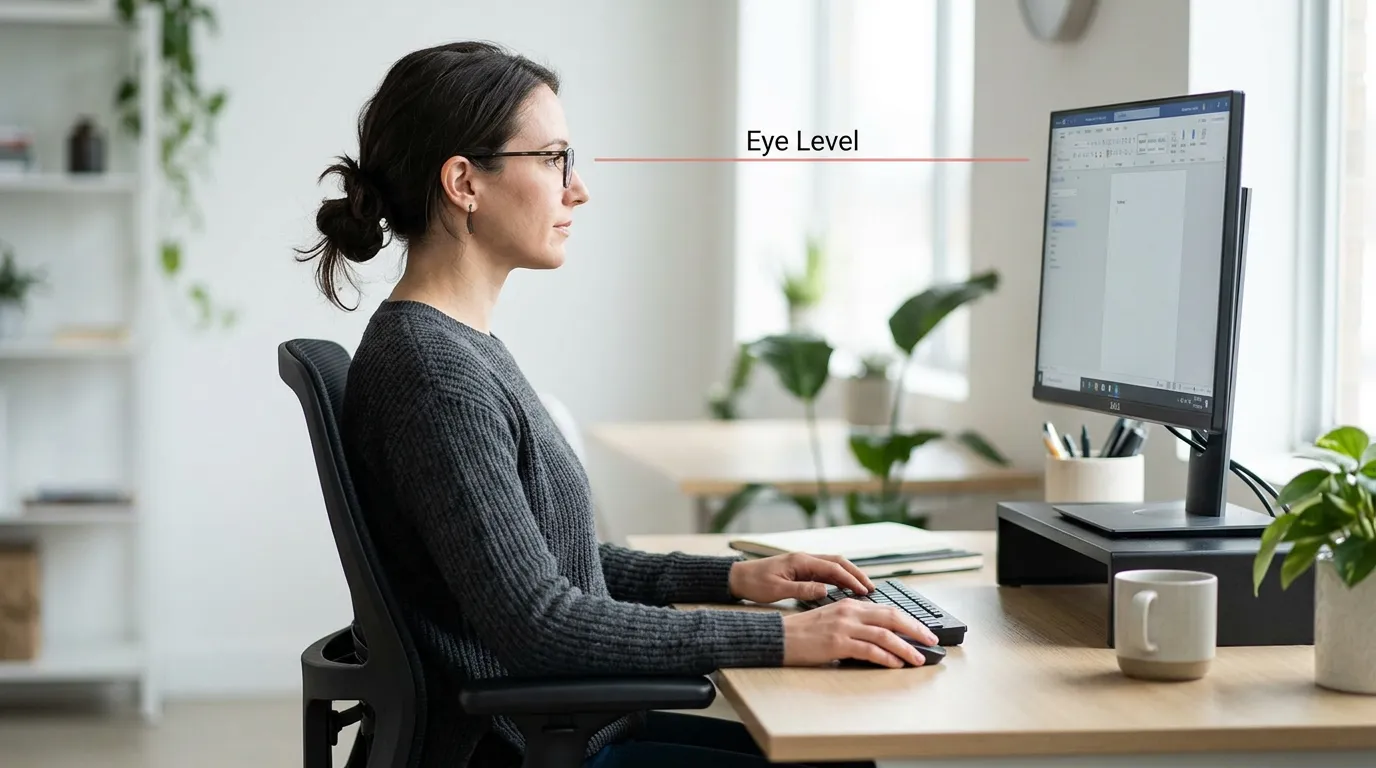
If your monitor is sitting directly on your desk, your screen is almost certainly too low. That puts your neck bent forward and down for hours at a time, and that can contribute to neck pain and shoulder tension over a full workday.
A monitor riser – sometimes called a monitor stand riser or desk monitor riser – is one of the simplest fixes in ergonomics. It raises your screen to the right height without requiring a new desk or expensive mount. But not every monitor riser for desk use is built the same, and the wrong one wastes desk space, wobbles under a heavy display, or raises your screen by half an inch when you need three.
We’ve researched and evaluated the best monitor risers available on Amazon in 2026, across price points, materials, and desk setups, so you can pick the right one without second-guessing.
Table of Contents
If you’re also dealing with neck discomfort from a poor laptop setup, our ergonomic guide for laptop users without neck pain covers the full picture.
Affiliate disclosure: Some links in this article are affiliate links. If you purchase through them, we may earn a small commission at no additional cost to you. This helps support our research and keeps our guides free.
Quick Picks
| Pick | Best For | |
|---|---|---|
| 🏆 | VIVO Height Adjustable Monitor Riser | Best Overall |
| 💰 | Mount-It! Adjustable Desktop Monitor Riser | Best Budget |
| 🗄️ | SimpleHouseware Monitor Stand Riser with Drawer | Best with Drawer |
| 📺 | Kensington SmartFit Extra Wide Monitor Stand | Best for Large Monitors |
| 🖥️ | Fenge Dual Monitor Stand | Best for Dual Monitors |
| 🌿 | ROCDEER Bamboo Monitor Stand Riser | Best Bamboo Option |
Comparison Table
| Product | Type | Height Adjustment | Best For | Price Range |
|---|---|---|---|---|
| VIVO Height Adjustable | Steel platform | Yes — pneumatic, 4–8 in | Most desk workers | $30–40 |
| Mount-It! Adjustable | Open steel frame | Yes — multi-position, 2–5 in | Budget buyers | $15–25 |
| SimpleHouseware w/ Drawer | MDF + steel mesh | Fixed (~4 in) | Storage & organization | $35–50 |
| Kensington SmartFit Extra Wide | Steel | 3 fixed positions | Large/ultrawide monitors | $35–50 |
| Fenge Dual | Bamboo-wood | Fixed (~5 in) | Dual-monitor setups | $80–100 |
| ROCDEER Bamboo | Solid bamboo | Fixed (~4.7 in) | Aesthetic/minimal desks | $45–60 |
🏆 Best Overall: VIVO Height Adjustable Monitor Riser
Best for: ✓ Most desk workers ✓ Adjustable monitor height ✓ Sit-stand desk users
VIVO’s adjustable riser earns the top pick because it’s the only option here that lets you set your exact ergonomic height rather than accepting a fixed elevation. The pneumatic lift adjusts from 4 to 8 inches, covers the full range most desks require, and locks securely. The steel frame handles 44 lbs without wobble, and a built-in keyboard tray keeps your desk clear.
→ Check Current Price on Amazon
What Is the Best Monitor Riser?
The best monitor riser for most desk workers is the VIVO Height Adjustable Monitor Riser. It offers pneumatic height adjustment from 4 to 8 inches, a steel frame rated to 44 lbs, and a built-in keyboard tray, giving you precise ergonomic control over your monitor height. For a fixed-height option with storage, the SimpleHouseware Riser with Drawer is the strongest value around $30–40.
What Is a Monitor Riser (and Do You Really Need One)?
A monitor riser is a platform or stand that elevates your desktop monitor to a more ergonomically appropriate height. Most people who skip a monitor stand riser end up looking down at their screen, even slightly, which can add strain to the cervical spine over a full workday.
The ergonomic standard is to have the top of your screen at or just below eye level, with the monitor at arm’s length. For most desk setups, that means your monitor may need to be 4–8 inches higher than it currently sits on a flat surface.
A monitor riser gets you there. It also often doubles as desk storage, which helps if you’re working in a cluttered space.
Do you need one? If you’re getting neck stiffness by mid-afternoon, or you find yourself slumping forward to see your screen, it’s one of the most cost-effective ergonomic upgrades you can make. Our breakdown of how tech neck develops and how to address it explains exactly why monitor height matters so much.
What to Look for in a Monitor Riser
Fixed vs. Adjustable Height
Fixed-height risers are more stable and often better looking, but you’re locked into one elevation. Adjustable risers let you dial in your exact ergonomic height — useful if you share a desk or if you’re not sure what height you need before buying. The trade-off is that adjustable models tend to be bulkier and less minimal-looking.
Storage and Organization Features
Many monitor risers include a shelf underneath the raised platform — useful for hiding a keyboard when not in use, storing notebooks, or tucking away cables. Some include drawers, which add a lot of practical value for small desks. If desk organization matters to you, prioritize models with built-in storage.
Size and Weight Capacity
Make sure the riser’s platform is wide enough for your monitor’s base. A 24-inch monitor stand is typically 8–10 inches wide at the base; a 27-inch or ultrawide can be considerably more. Most risers hold 44–88 lbs, which is well above any single monitor’s weight — but check if you’re placing multiple items on the platform.
Material and Build Quality
Budget risers are often plastic or thin MDF — functional but not particularly premium. Mid-range models use bamboo, solid wood, or steel mesh. Premium options feature walnut or maple with machined aluminum accents. The right material depends on your desk aesthetic and how long you want it to last. Bamboo is a good middle-ground: sustainable, attractive, and more durable than cheap MDF.
The Best Monitor Risers for Desk Work (2026)
Best Overall : VIVO Height Adjustable Monitor Riser
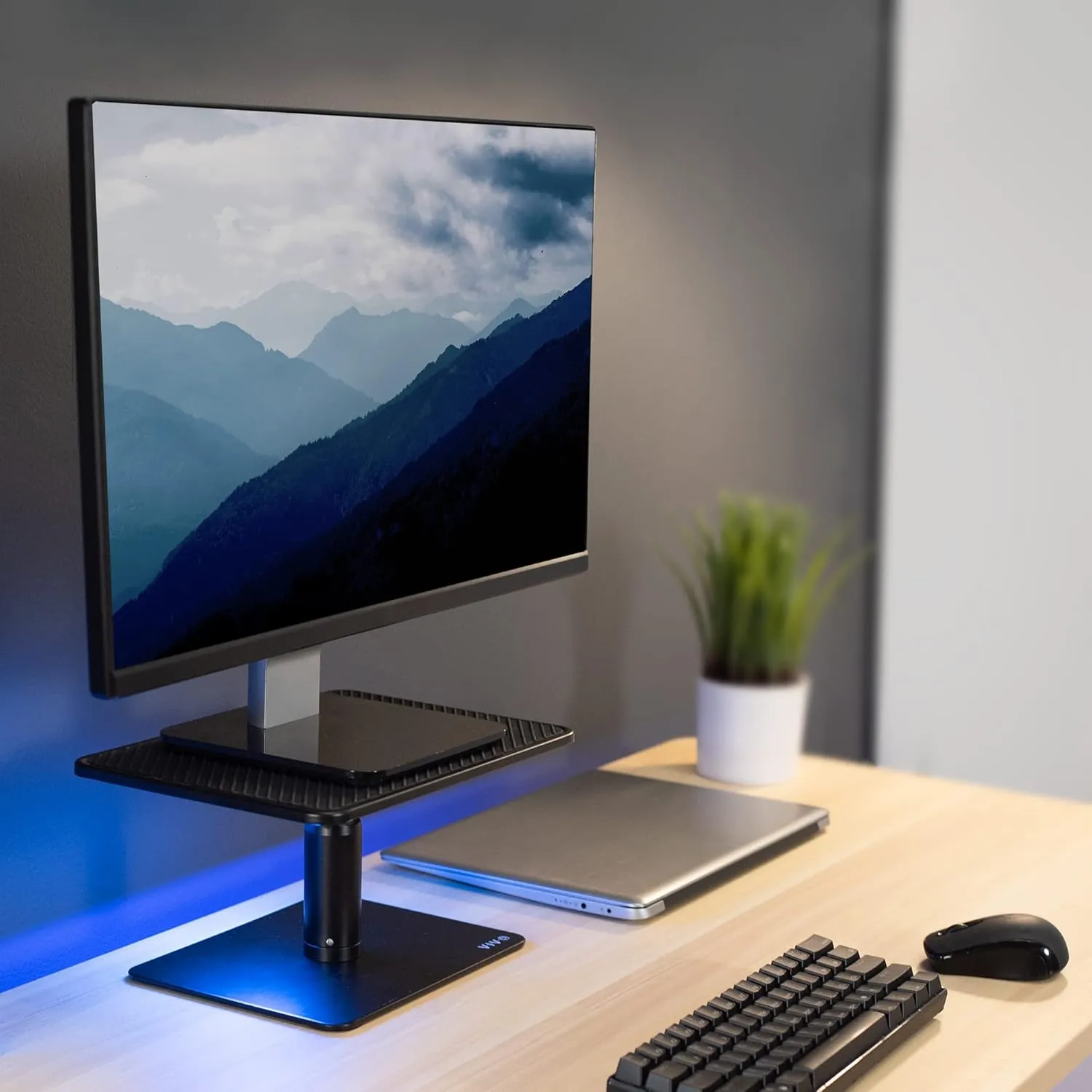
Why it wins: The VIVO adjustable riser is the most versatile monitor riser on Amazon for desk workers who want to set their screen height precisely and keep it there. It uses a pneumatic lift mechanism to adjust height from about 4 to 8 inches – the full range most people need – and locks securely at your chosen height. The steel frame holds up to 44 lbs without wobble, and a secondary keyboard tray keeps your desk organized during focused work sessions.
It’s not the most compact option, and the industrial aesthetic won’t suit every home office. But for anyone who’s serious about getting their monitor to the correct ergonomic height rather than just raising it arbitrarily, VIVO’s adjustability is genuinely useful. It’s also one of the few risers that works well on sit-stand desks, where you may want to tweak monitor height as your desk changes elevation.
Best for: Desk workers who want precise ergonomic control over their monitor height.
Price range: $30–40 on Amazon
Specs to look for: VIVO DESK-V000B (single) or VIVO STAND-V001 series for wider platforms
Best Budget : Mount-It! Adjustable Desktop Monitor Riser
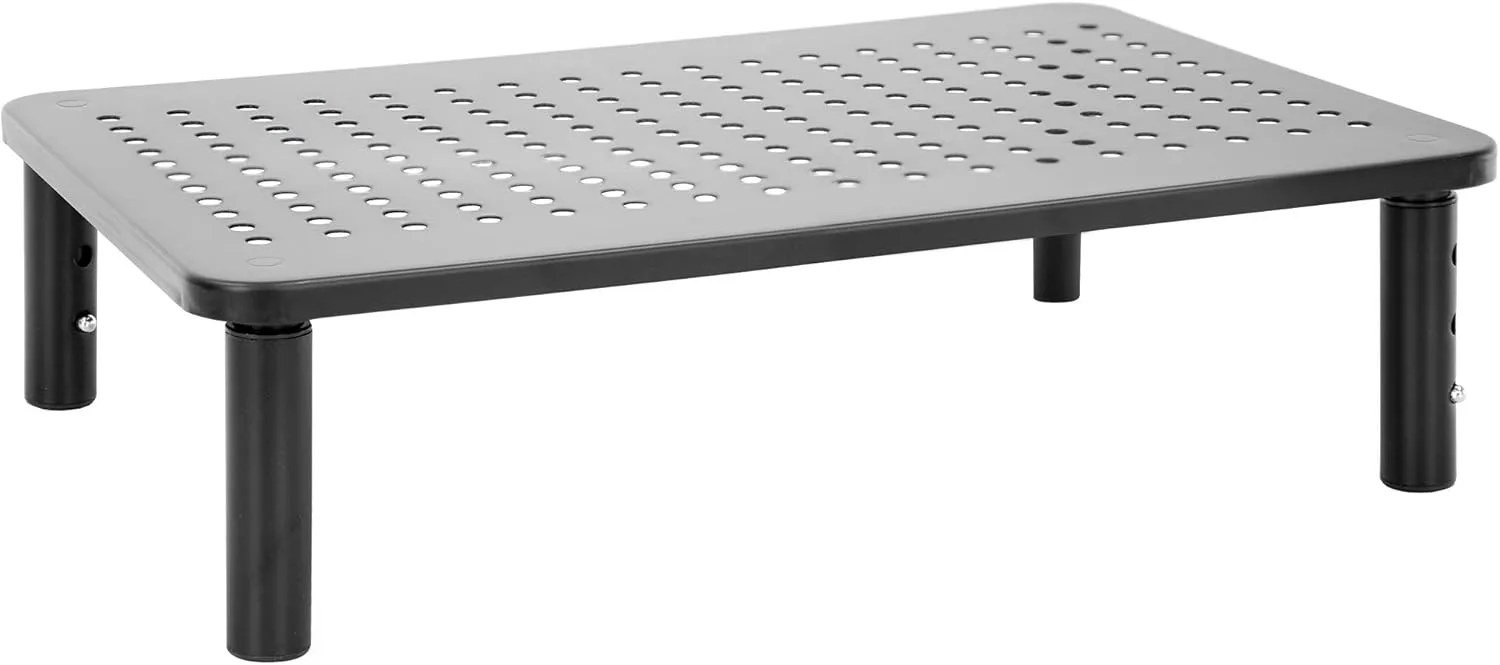
Why it wins: around $20–30 on Amazon, Mount-It!’s adjustable desktop riser gives you a stable steel platform with height settings from roughly 2 to 5 inches. It’s not going to win any design awards, but the build quality is solid for the price, the steel construction is more durable than the flimsy plastic risers cluttering the lower end of the market. The open-frame design also keeps airflow going under the desk, which matters if you leave a laptop or external hard drive underneath.
If you’re furnishing a home office on a budget, or want a second riser for a standing desk setup in a different room, Mount-It! delivers without compromise on structural integrity. It lacks storage, but that’s expected at this price.
Best for: Budget-conscious buyers who want a stable, functional riser without extras.
Price range: $15–25 on Amazon
Best with Drawer — Simple Houseware Monitor Stand Riser with Drawer
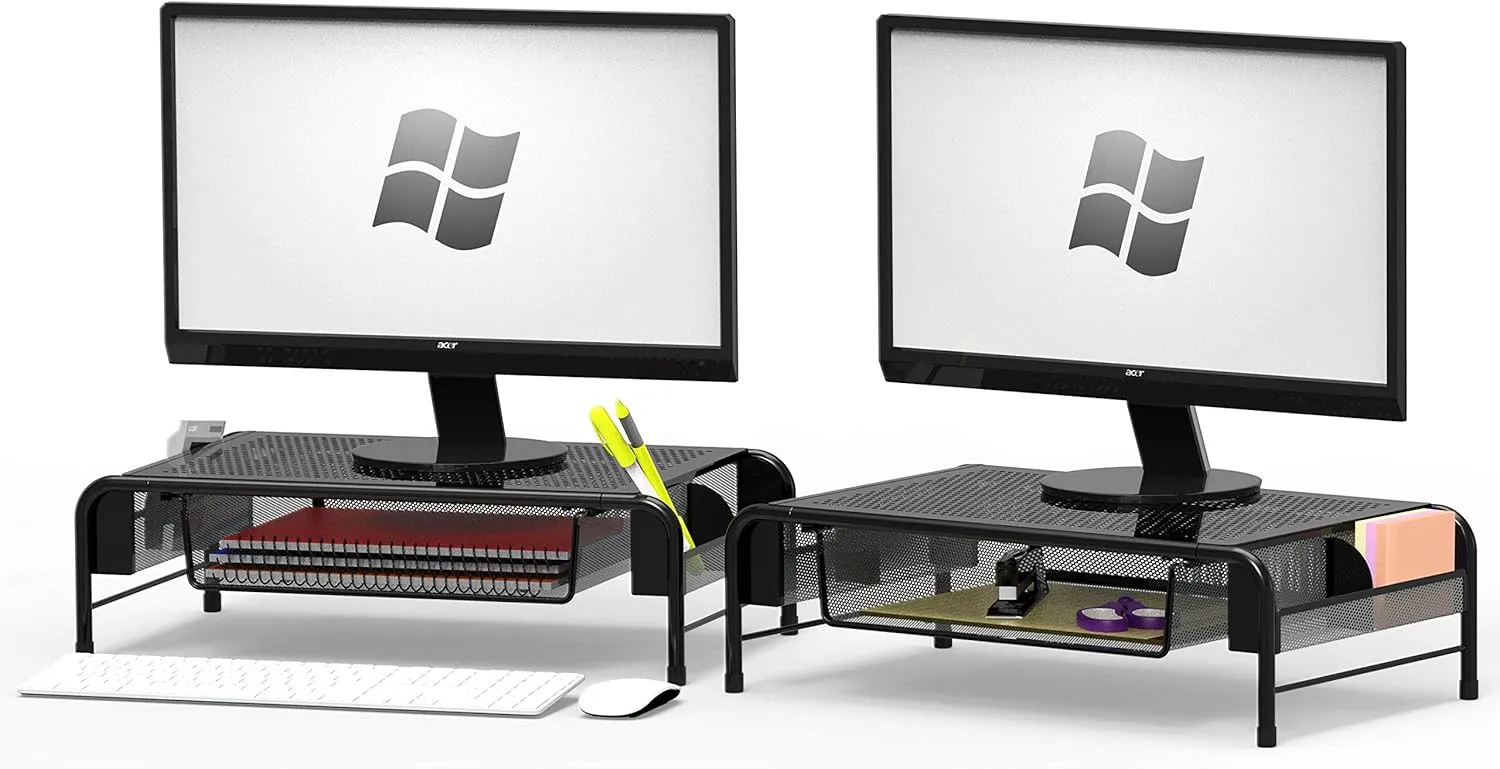
Why it wins: The SimpleHouseware riser is consistently one of the top-selling monitor risers on Amazon, and it earns that spot with a practical combination: a wide platform, a full-width pull-out drawer underneath, and two side open-shelf compartments. At around $35–50, it’s one of the most storage-dense risers at any price point.
The fixed height sits at about 4 inches; not adjustable, but suitable for most desk setups. The MDF and steel mesh construction is lightweight without feeling cheap. If you keep small items on your desk (pens, notebooks, sticky notes, a phone charger) and want them organized without taking up surface space, this riser handles it efficiently.
The one limitation: it’s not built for very heavy monitors. Keep it under 22 lbs on the platform to avoid flex.
Best for: Desk workers who want extra storage and organization built into their riser.
Price range: $35–50 on Amazon
Best Wide Platform : Kensington SmartFit Extra Wide Monitor Stand
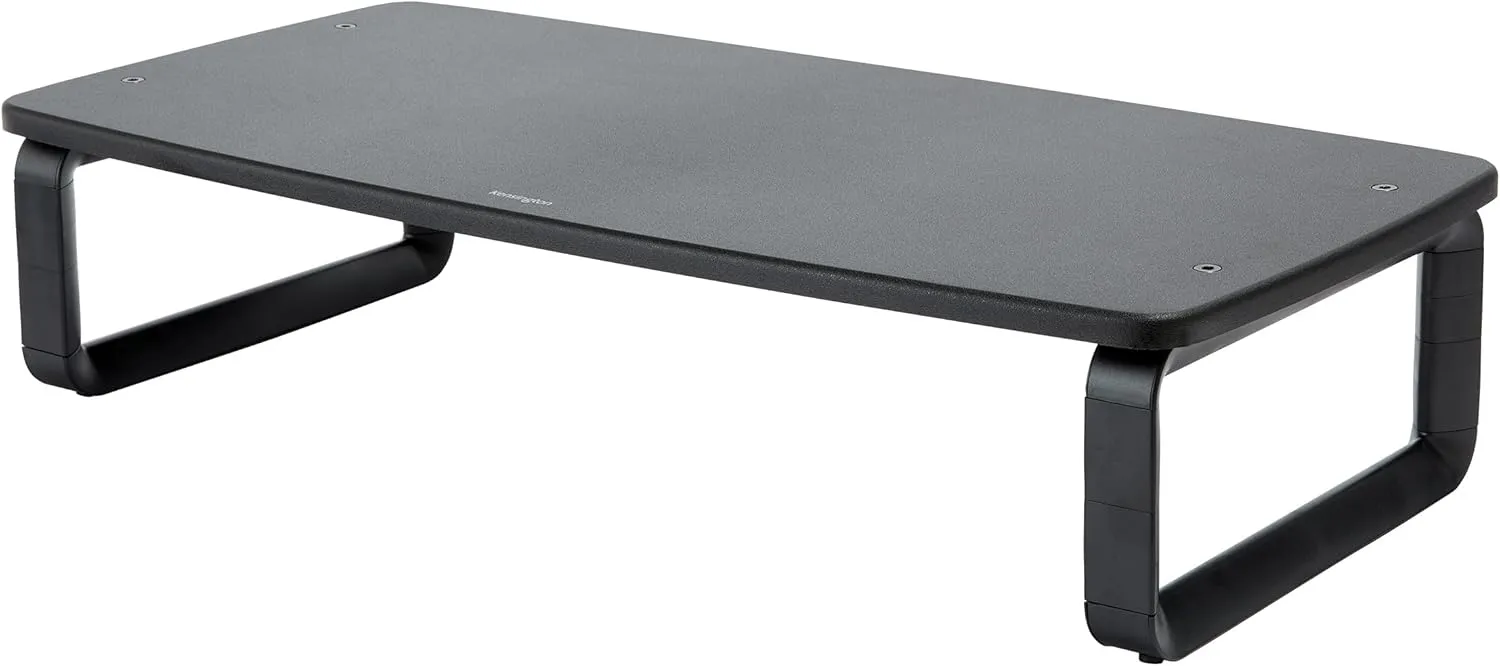
Why it wins: For large monitors (27 inch and above) or setups with a monitor plus accessories on the riser platform, Kensington’s SmartFit Extra Wide is hard to beat. The platform runs noticeably wider than standard risers, giving you room for a monitor base that wouldn’t fit on narrower models. The height adjusts to one of three fixed positions using tool-free leg inserts.
Kensington’s build quality is above average, the steel construction is solid, and the rubber feet prevent any creep on slick desk surfaces. If you’re using a large display and have struggled with risers that don’t accommodate the footprint, this is the solution.
Best for: 27-inch+ monitors, ultrawide displays, or anyone needing a wider platform than standard risers offer.
Price range: $35–50 on Amazon
Best for Dual Monitors : Fenge Dual Monitor Stand
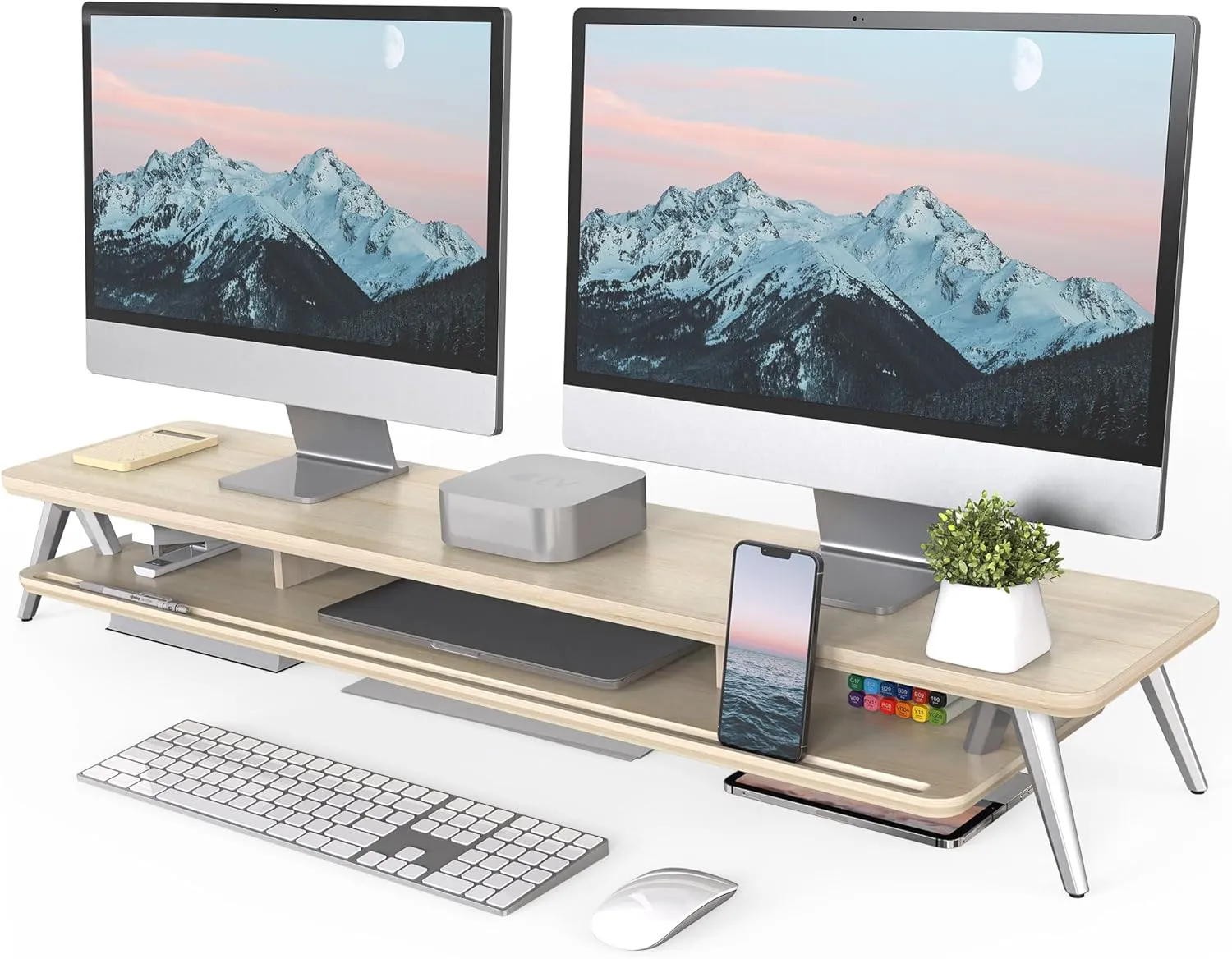
Why it wins: Running two monitors on a shared riser requires a much wider platform and higher weight capacity than single-monitor models. The Fenge dual monitor stand extends wide enough for two standard 24–27 inch screens side by side, with a shelf underneath for keyboard storage. The fixed height of about 5 inches works for most seated setups.
At around $80–100 on Amazon, it’s an efficient solution for dual-screen desks where clutter is the enemy. The wood and aluminum construction gives it a modern, minimal look, and the wide platform keeps both monitors at an identical height, which matters for neck comfort when switching between screens.
Best for: Dual-monitor setups that need one stable, level platform for both screens.
Price range: $80–100 on Amazon
Best Bamboo : ROCDEER Bamboo Monitor Stand Riser
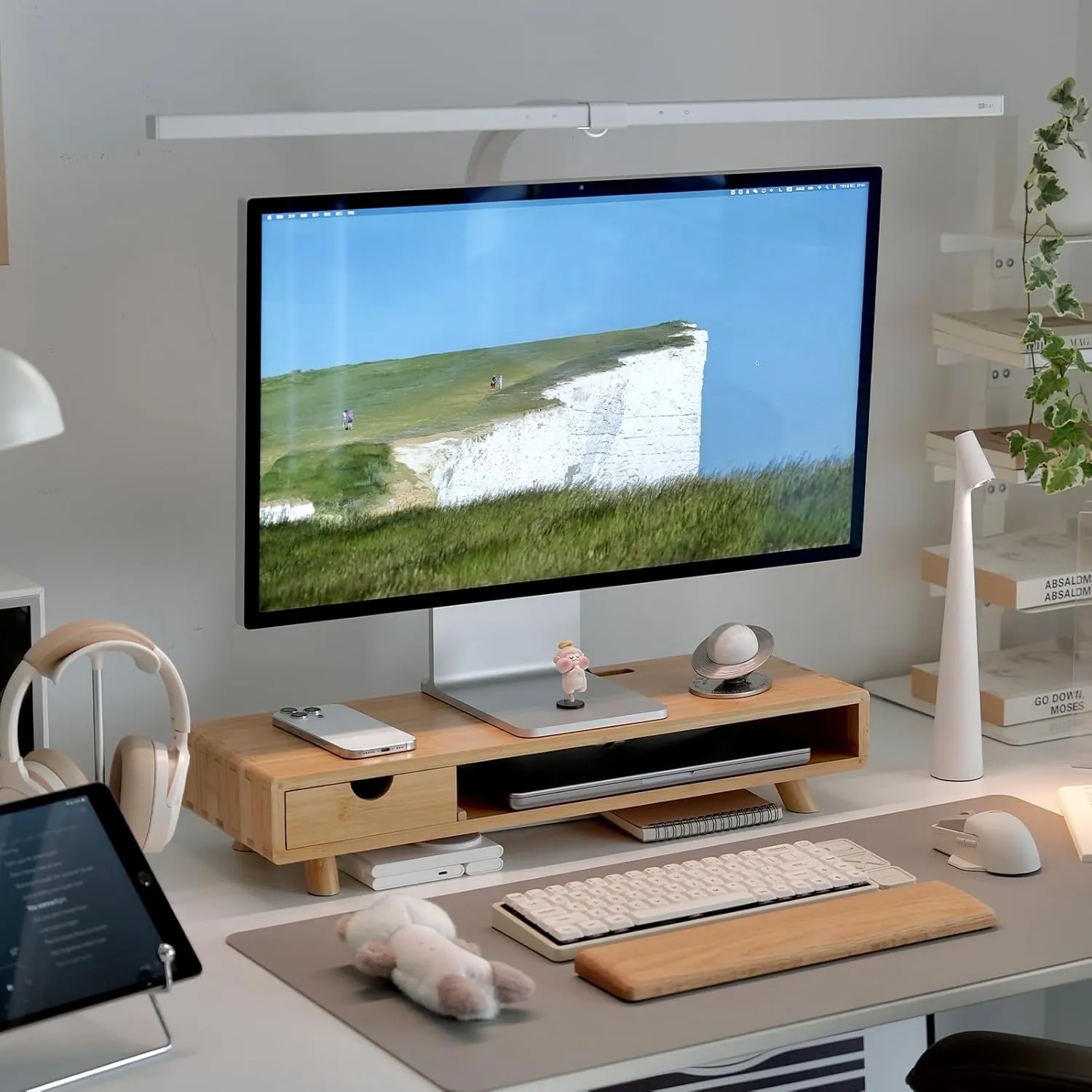
Why it wins: If you want a monitor riser that actually looks good on your desk, bamboo is the right material. ROCDEER’s bamboo monitor stand brings a warm, natural texture that contrasts well with modern workstation setups. FSC-certified bamboo construction is considerably more durable than cheap wood composite alternatives.
The fixed height is around 4.7 inches, the platform is wide enough for most single 27-inch monitors, and the under-shelf fits a wireless keyboard. Bamboo is also more moisture-resistant than MDF, which matters if you use your desk in spaces with humidity variation.
It’s not adjustable and doesn’t have a drawer; but if aesthetics are part of your setup goals, this is the riser that won’t look out of place next to a quality desk mat and a nice keyboard.
Best for: Minimalist or natural-aesthetic desk setups where looks matter as much as function.
Price range: $45–60 on Amazon
Monitor Riser vs. Monitor Arm — Which Is Right for You?
A monitor arm and a monitor riser do the same job – raise your screen to eye level – but in very different ways.
A monitor arm clamps to your desk and holds the screen in free air, giving you full range of motion (height, tilt, swivel, forward/backward). It frees up your entire desk surface and is the better solution if you frequently reposition your monitor or share your desk. The downside: it requires a desk thick enough to clamp onto, requires your monitor to have a VESA mount (most do), and quality arms cost $80–$300.
A monitor riser sits on your desk and the monitor sits on top of it. It’s simpler, cheaper, and more stable for people who set a position and never change it. It keeps your monitor’s native stand and often adds useful storage. The trade-off is that it takes up desk footprint and offers no lateral or forward adjustment.
For most desk workers who have found their ideal monitor position and just want to raise their screen, a riser is the more practical and affordable choice. If you need full adjustability or want to reclaim desk space entirely, our comparison of laptop stand vs. laptop arm setups explains the same trade-off in the context of portable displays, and the logic applies equally here.
How High Should Your Monitor Riser Be?
The goal is to position the top of your monitor screen at roughly eye level when you’re seated with good posture. Here’s how to find your ideal riser height:
Before choosing a fixed riser height, calculate the monitor height you actually need from your display and viewing setup.
- Sit up straight in your chair with your feet flat on the floor.
- Look straight ahead — where your eyes naturally land is your target screen zone.
- Measure the distance from your current desk surface to that eye level point.
- Subtract the height of your monitor’s current stand (typically 2–4 inches for most monitors).
- The result is roughly how much riser height you need.
Most desk workers find they need 4–6 inches of additional elevation. If you’re very tall or your chair sits high, you may need closer to 8 inches — which is where adjustable risers have a clear advantage over fixed models.
Our detailed guide on the ideal monitor height for desk work walks through the exact ergonomic formula with visuals.
FAQ : Monitor Riser for Desk
Is a monitor riser worth it?
Yes. If your monitor sits flat on your desk without any elevation, it’s almost certainly lower than ergonomic guidelines recommend. A desk monitor riser can support better posture, may help reduce neck strain during long work sessions, and costs as little as $20–$25 on Amazon — making it one of the most affordable ergonomic upgrades available.
What’s the difference between a monitor riser and a monitor stand?
The terms are used interchangeably. A monitor riser typically refers to a flat platform that elevates your existing monitor setup; a monitor stand can mean either a riser platform or the base stand that ships with your monitor. For the purposes of this guide, they’re the same thing.
Can I put my laptop on a monitor riser?
Yes, if the platform is large enough for your laptop’s footprint. That said, a dedicated laptop stand offers better ventilation and angle control for laptop-primary setups. See our best ergonomic laptop stand for desk work roundup for purpose-built options.
Will a monitor riser scratch my desk?
Quality monitor risers include rubber feet or felt pads on the base. If your model didn’t ship with padding, apply adhesive felt pads before placing the riser on a finished desk surface to prevent scratching.
How much weight can a monitor riser hold?
Most risers support 22–33 lbs (10–15 kg), which covers the majority of desktop monitors. Large displays (32 inches and above) can weigh 15–20 lbs on their own, so check the weight capacity in the product spec sheet before buying if you’re using a heavier screen.
Do monitor risers work with ultrawide monitors?
Yes, but you need a wide-platform model. Most standard risers suit monitors up to 27 inches. For ultrawide displays (34 inches and above), look for a platform at least 24 inches wide — the Kensington SmartFit Extra Wide is the best option in this roundup for that use case.
Can I use a monitor riser on a standing desk?
You can, but a fixed-height riser may not match your ideal monitor height for both sitting and standing positions. An adjustable monitor riser — like the VIVO model above — is a better fit for sit-stand desks, since you can change the elevation as your desk height changes.
Final Verdict
The best monitor riser for most desk workers is the VIVO Height Adjustable Monitor Riser — it gives you the flexibility to dial in the exact ergonomic height rather than guessing with a fixed platform. If you want storage with your riser, the SimpleHouseware Riser with Drawer is the most practical option at $35–50. And if aesthetics matter, the ROCDEER Bamboo Riser looks genuinely good on a well-considered desk.
Any of the six options above will raise your screen higher than a bare desk, may help reduce neck strain over time, and do it without the complexity of a full monitor arm installation.
If you’re setting up your workstation ergonomics from scratch, start with our complete guide to laptop ergonomics and work through the full setup checklist.