

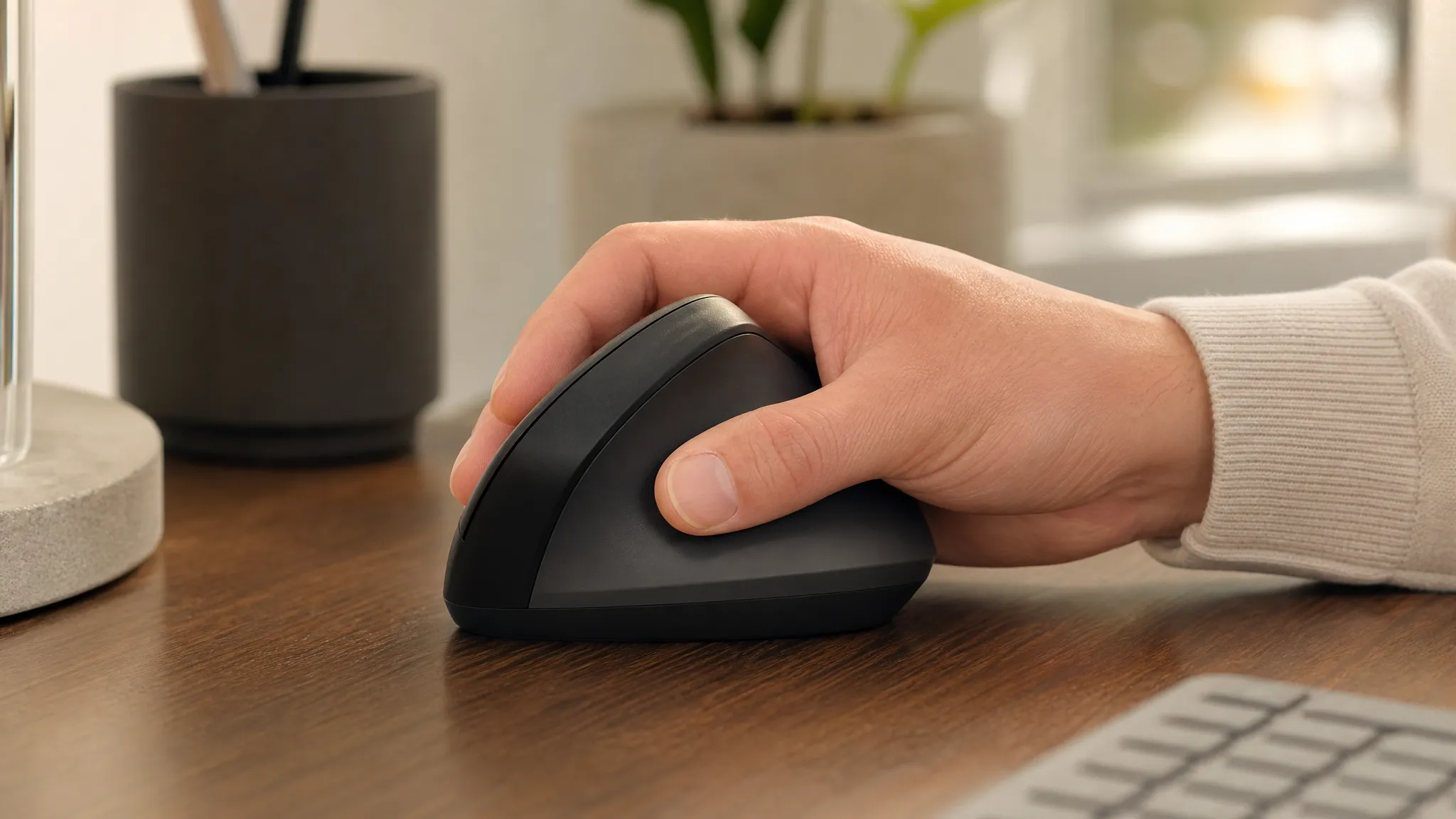
There is no single best mouse for carpal tunnel. A useful choice depends on what makes mouse use uncomfortable: wrist position, pressure against the desk edge, repeated device travel, clicking effort, thumb or finger workload, hand fit, and how much adaptation you can accept.
This guide compares six vertical and trackball options by those use cases. For background on the condition, risk factors, and when equipment changes are not enough, read our guide to carpal tunnel and computer work.
Educational note: This article is informational and does not diagnose carpal tunnel syndrome or replace professional medical evaluation. Seek medical advice for persistent numbness, weakness, night waking, or worsening hand symptoms.
Disclosure: This article contains affiliate links. As an Amazon Associate I earn from qualifying purchases. ErgoLivingSpace may also earn commissions from other qualifying purchases, at no extra cost to you.
Table of Contents
Quick Answer: Choose by Use Case
Start with the task or contact point that bothers you most. Every input method moves workload somewhere else, so the best match is the one whose trade-offs fit your hand, tasks, and preferred control method. If you are not yet sure whether that means a vertical mouse, trackball, or another format, use the category-selection guide for ergonomic mice before comparing products.
- Your wrist bends backward to reach the buttons: consider a correctly sized vertical mouse such as the Logitech MX Vertical. It keeps conventional mouse control, but still needs room to travel across the desk.
- A larger vertical mouse does not fit: the Logitech Lift is the compact option for small-to-medium hands and is sold in right- and left-handed versions. Large hands may feel cramped.
- You want to test the vertical format at lower cost: the Anker 2.4G Wireless Vertical Mouse is the budget entry. It uses a USB receiver and has less refined controls and software.
- Repeated mouse travel or repositioning is the main issue: the Logitech ERGO M575 stays stationary. Cursor control shifts to the thumb, which is a poor trade if the thumb is already uncomfortable.
- You want stationary control without a thumb trackball: the Kensington Expert Trackball uses the fingers or palm. It needs more desk space and a larger change in technique.
- You already tolerate a steep vertical shape: the linked model is the wired, right-handed, regular-size Evoluent VerticalMouse 4 (VM4R). Its steep shape and cable routing should suit your hand and desk.
- Clicking effort is the main concern: prioritize comfortable button reach and light actuation, then reduce avoidable clicks with shortcuts or click-lock. A shape that lowers travel can still overload a thumb or finger.
Choose Based on What Makes Mouse Use Uncomfortable
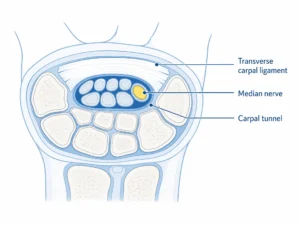
The Canadian Centre for Occupational Health and Safety recommends matching the mouse to the hand, keeping the wrist neutral, choosing buttons that respond to a light touch, and trying different designs rather than assuming one size fits all.
- Wrist and forearm position: look for a shape you can use without bending the wrist up, down, or sideways. A vertical body changes orientation; it does not eliminate device movement.
- Contact pressure: keep the wrist and forearm away from a hard desk edge. OSHA’s desk guidance identifies hard leading edges as a source of contact stress.
- Mouse travel: a higher comfortable pointer speed or a stationary trackball can reduce repeated repositioning, but too much sensitivity can make control tense and imprecise.
- Click force and frequency: button feel matters, but so do shortcuts, click-lock, and button mapping. Check that primary buttons are reachable without stretching or pinching.
- Thumb and finger workload: thumb trackballs concentrate cursor work at the thumb; finger trackballs shift it to the fingers or palm. Neither removes work.
- Fit and hand size: a mouse that is too large can overextend the fingers; one that is too small can encourage gripping. Handedness also matters.
- Adaptation: familiar moving mice usually require less retraining than trackballs. Adapt gradually and judge control, reach, and comfort rather than chasing a fixed timeline.
How We Chose Our Picks
We assessed the six products in this guide for wrist and forearm positioning, hand-size fit, contact-pressure considerations, device travel, click effort, thumb and finger workload, control accuracy, adaptation, value, and availability. Product specifications were checked against current manufacturer information where available. This is an editorial comparison, not clinical testing or medical validation by ErgoLivingSpace.
Which Mouse Guide Should You Use?
This page focuses on carpal-tunnel-related concerns around wrist position, contact pressure, repeated mouse travel, and input method. Our ergonomic mouse guide for broader wrist discomfort covers non-specific wrist-pain patterns. The hand-and-finger mouse guide focuses more narrowly on grip, clicking, thumb, and finger workload. If the decision is specifically about control formats, compare the mechanical trade-offs in Vertical Mouse vs. Trackball.
Comparison Table
| Mouse | Type | Best when | Fit note | Movement style | Control workload | Learning curve | Skip if |
|---|---|---|---|---|---|---|---|
| Logitech MX Vertical | 57° vertical | You want a moderate vertical shape with familiar control | Medium-to-large hands; right-handed | Move the mouse | Hand/arm travel; thumb side buttons | Low-to-moderate | Small hands or stationary control needed |
| Logitech Lift | 57° compact vertical | You need a smaller body or left-handed option | Small-to-medium hands; handed variants | Move the mouse | Hand/arm travel; quiet primary clicks | Low-to-moderate | Large hands or rechargeable power required |
| Anker 2.4G Vertical | Wireless vertical | You want a lower-cost vertical-format trial | Best suited to medium hands; right-handed | Move the mouse | Hand/arm travel; basic buttons | Moderate | You need Bluetooth, USB-C, or deep customization |
| Logitech ERGO M575 | Thumb trackball | Repeated device travel is the main concern | Right-handed; fixed body | Stationary device | Thumb moves the ball | Moderate | Thumb work is uncomfortable |
| Kensington Expert Trackball | Finger/palm trackball | You want stationary control with little thumb dependence | Ambidextrous; large footprint | Stationary device | Fingers or palm move the ball | Higher | Desk space is tight or you want familiar control |
| Evoluent VerticalMouse 4 (VM4R) | Steep wired vertical | You already tolerate a steep vertical body | Regular/medium-to-large; right-handed | Move the mouse | Hand/arm travel; six buttons | Moderate-to-high | You need wireless, a left-hand model, or a compact fit |
The 6 Mice by Use Case
1. Logitech MX Vertical — Moderate-Angle Vertical Control
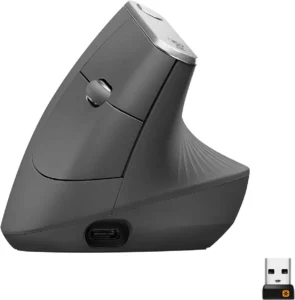
Logitech lists the MX Vertical with a 57° body, 400–4,000 DPI tracking, Bluetooth and Unifying receiver connectivity, USB-C charging, and battery life of up to four months. Its larger shell and conventional moving-mouse control make it the clearest fit for medium-to-large right hands that want a vertical orientation without switching to a trackball.
- Best for: medium-to-large hands; conventional pointer control; multi-device desks. See the current MX Vertical listing for the exact variant.
- Skip if: your hand cannot reach the buttons without stretching, you mouse left-handed, or repeated device travel is the main problem.
- Main trade-off: the vertical shape changes hand orientation but does not reduce arm travel.
- Adaptation note: keep your grip light and learn to move from the arm instead of pivoting repeatedly at the wrist.
- Setup note: place it close to the keyboard and raise pointer speed only enough to cross the screen without repeated lifting.
Check the current Amazon listing for Logitech MX Vertical.
2. Logitech Lift — Compact Vertical Option
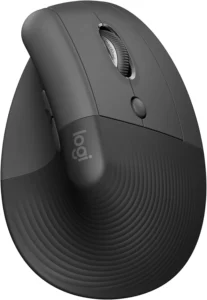
Logitech positions the Lift for small-to-medium hands. It uses the same 57° orientation, supports Bluetooth and a Logi Bolt receiver, offers 400–4,000 DPI adjustment, and runs on one replaceable AA battery for up to 24 months. The linked graphite model is the right-handed version, and a separate left-handed version exists.
- Best for: small-to-medium right hands, quieter primary clicks, and a compact vertical format; the linked graphite Lift is the right-handed model.
- Skip if: your hand feels cramped, you require a rechargeable battery, or you need a left-hand variant but the listing is right-handed.
- Main trade-off: easier fit for smaller hands, but less room for larger fingers and no USB-C charging.
- Adaptation note: its compact shape is closer to a familiar mouse, but button reach and grip should still feel relaxed.
- Setup note: pair by Bluetooth or Bolt, then adjust speed so the wrist can remain comfortable while the upper arm stays near the torso.
Check the current Amazon listing for Logitech Lift.
3. Anker 2.4G Wireless Vertical Mouse — Lower-Cost Vertical Trial
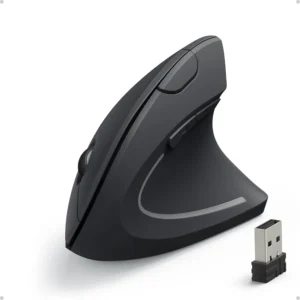
The linked Anker model uses a 2.4 GHz USB receiver, five buttons, selectable 800/1,200/1,600 DPI settings, and two AAA batteries. It is a practical way to test a vertical format without paying for premium software or multi-device features.
- Best for: budget-conscious right-handed users with a spare USB-A port.
- Skip if: you need Bluetooth, rechargeable power, left-handed use, or application-specific button mapping.
- Main trade-off: lower entry cost with more basic materials, controls, and connectivity.
- Adaptation note: treat it as a format test; a low price does not make a poor fit acceptable.
- Setup note: keep the receiver close enough for a stable connection and try each DPI setting rather than defaulting to the fastest one.
Check the current Amazon listing for Anker 2.4G Wireless Vertical Mouse.
4. Logitech ERGO M575 — Stationary Thumb Control
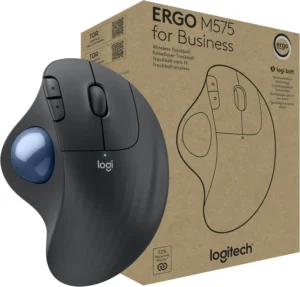
The M575 stays in one place while the thumb moves the ball. Logitech specifies Bluetooth and USB-receiver connectivity, five buttons, a nominal 400 DPI value with up to 2,000 DPI, and one AA battery rated up to 24 months with the receiver or 20 months over Bluetooth. This is the strongest match when repeated mouse travel is the issue and thumb control feels acceptable.
- Best for: limited mousing space and users who want the device to stay stationary.
- Skip if: thumb motion or thumb pressure is already uncomfortable.
- Main trade-off: less device travel in exchange for concentrated thumb control and a different precision technique.
- Adaptation note: begin with ordinary navigation before precision tasks; avoid forcing speed during the learning phase.
- Setup note: place the whole unit close to the keyboard and support the forearm without pressing the wrist into the desk edge.
Check the current Amazon listing for Logitech ERGO M575.
5. Kensington Expert Trackball — Finger-Operated Stationary Control
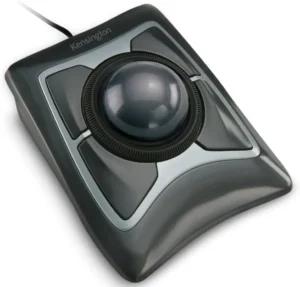
The linked listing is the wired Kensington Expert Mouse Trackball, model K64325, rather than the separate wireless version. Its large central ball can be controlled with the fingers or palm, with four programmable buttons and a scroll ring. The ambidextrous layout reduces dependence on one thumb but uses more desk space.
- Best for: stationary control, thumb avoidance, and a wired connection.
- Skip if: the footprint is too large, you need portable control, or finger/palm ball movement is uncomfortable.
- Main trade-off: minimal device travel with more finger or palm work and a larger technique change.
- Adaptation note: use whichever fingers share the load most comfortably; do not force a single-finger style.
- Setup note: keep it in the primary work zone, centered or beside the keyboard, without planting the wrist on a hard edge.
Check the current Amazon listing for Kensington Expert Trackball.
6. Evoluent VerticalMouse 4 (VM4R) — Steep Wired Geometry
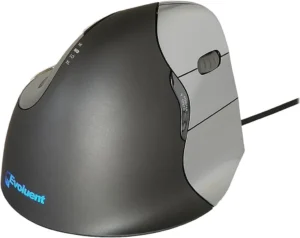
The linked listing is the wired, right-handed, regular-size Evoluent VerticalMouse 4, model VM4R, with six programmable buttons and four pointer-speed settings. Its steep body is best treated as a fit-dependent option for someone already comfortable with a pronounced vertical format.
- Best for: right-handed users who already tolerate a steep vertical shape and can obtain the correct regular-size fit.
- Skip if: you want wireless, need a left-handed or compact model, or have not yet tried a moderate vertical shape.
- Main trade-off: pronounced vertical geometry with a bulkier shape, wired connection, and greater adaptation demand.
- Adaptation note: do not grip the tall body to keep it upright; the hand should rest rather than clamp.
- Setup note: route the cable so it does not pull and keep enough clear surface for arm-led movement.
Check the current Amazon listing for Evoluent VerticalMouse 4 (VM4R).
Vertical Mouse vs Trackball: Compare the Workload
A vertical mouse such as the MX Vertical retains conventional device movement while changing forearm and hand orientation. A thumb trackball reduces device travel but puts cursor control at the thumb. A finger-operated trackball reduces thumb dependence but transfers control to the fingers or palm. No design eliminates workload; fit, control method, desk placement, and adaptation matter more than a universal ranking.
A study indexed by PubMed found that a vertical mouse changed wrist position but did not reduce carpal-tunnel pressure in the participants studied. That is an important limit: a different mouse can change how you work, but it should not be presented as a treatment or pressure-reducing device.
Setup Factors That Matter
- Keep the mouse close: OSHA mouse guidance recommends placing the pointer near the keyboard to reduce reaching.
- Avoid hard-edge pressure: move the keyboard and mouse into the primary work zone and avoid resting the wrist or forearm on a sharp desk edge.
- Use a comfortable wrist position: do not force the hand into a shape because a product is labeled ergonomic.
- Tune pointer speed: use the lowest effort setting that still feels controllable. Too slow increases travel; too fast can increase gripping and corrective movements.
- Reduce unnecessary clicks: use keyboard shortcuts, button mapping, or click-lock for dragging when those options suit the task.
- Position rests carefully: a wrist or palm rest should support pauses, not press into the wrist while you move.
- Adapt gradually: alternate with the old device if needed while learning the new control method. Stop and reassess if the new workload creates different discomfort.
For the rest of the workstation, align your input devices using a comfortable keyboard setup, check your ergonomic monitor setup, and use our laptop ergonomics guide when working away from a fixed desk.
Frequently Asked Questions
What kind of mouse is best for carpal tunnel?
There is no universal best type. A correctly fitted moving vertical mouse such as the MX Vertical may suit someone focused on wrist and forearm orientation, while a trackball may suit someone focused on repeated device travel. Click effort, hand size, contact pressure, and control workload still need to be checked.
Is a vertical mouse or trackball better?
They change different parts of the task. A vertical mouse changes orientation but still moves across the desk. A trackball stays put but shifts cursor work to the thumb, fingers, or palm. Choose the workload you can perform comfortably and accurately.
Can mouse use cause carpal tunnel?
Carpal tunnel syndrome has multiple possible contributors, and mouse use alone cannot confirm a cause. Repetition, force, awkward wrist positions, and contact stress are reasonable workstation factors to address, but diagnosis belongs with a qualified clinician.
Can an ergonomic mouse fix carpal tunnel?
No. An ergonomic mouse can change hand position, movement, or control demands, but it does not fix the condition and should not replace medical evaluation or care.
What if a thumb trackball makes my thumb uncomfortable?
If a thumb trackball causes or worsens thumb discomfort, stop using it and consider a moving mouse or a finger-operated trackball such as the Kensington Expert instead. The alternative should still suit your fingers, palm, desk space, and control preferences.
Which mouse format is easiest to adapt to?
A moderate vertical mouse usually preserves the most familiar cursor technique because the whole device still moves. Thumb and finger trackballs require a new control method. Individual fit and prior experience matter more than a fixed adaptation schedule.
Does pointer speed matter?
Yes. A setting that is too slow can increase travel and repositioning; one that is too fast can make you grip or correct the cursor repeatedly. Adjust in small steps until you can cross the screen with a relaxed hand and reliable control.
Should I use a mouse pad or wrist rest?
Use a surface that tracks consistently and does not create extra drag. A rest can support the palm during pauses, but avoid pressing the wrist into it or anchoring the wrist while the hand moves. Desk height, mouse proximity, and rounded edges are usually the first setup checks.
Final Recommendation and Related Guides
For a broader comparison of vertical models by hand fit and handedness, use our Best Vertical Mouse guide. If you want a familiar moving-mouse technique and have a medium-to-large right hand, the MX Vertical is the moderate-angle starting point in this list. Smaller hands should compare the Lift; repeated device travel points toward the M575; thumb avoidance points toward the Kensington; the Anker is the lower-cost vertical trial; and the steep wired Evoluent is the fit-dependent option for experienced vertical-mouse users.
- Compare mice for broader wrist discomfort
- Compare mice for hand, finger, grip, and clicking concerns
- Read the educational guide to carpal tunnel and computer work
- Review the educational wrist symptom-pattern self-test
A mouse is one part of the workstation. If symptoms are persistent, worsening, or include weakness or ongoing numbness, use professional medical evaluation rather than relying on equipment changes.