

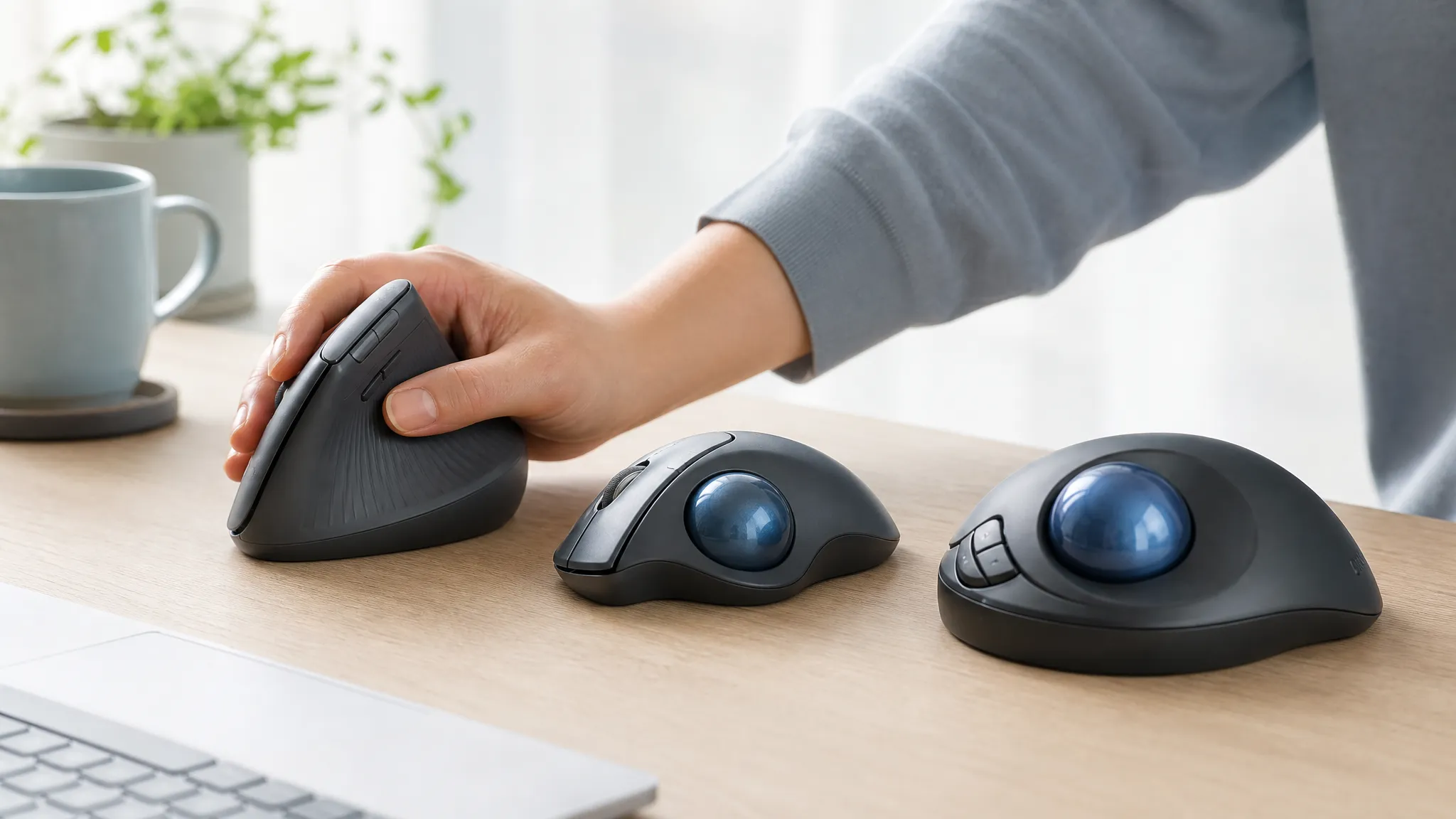
If you are comparing an ergonomic mouse for hand pain, finger discomfort, thumb strain, or repetitive strain, start with the work your current mouse asks each part of the hand to do. Mouse choice can change grip demand, click effort, button reach, thumb or finger workload, hand fit, and the way the pointer is controlled.
No single shape is best for every hand. A vertical mouse still moves across the desk, a thumb trackball concentrates cursor control in the thumb, and a finger-operated trackball transfers control toward the fingers or palm. The useful question is which workload you want to change—and which new workload you can use comfortably. If you have not narrowed the device category yet, use our guide to choosing an ergonomic mouse by discomfort and movement before comparing individual models.
Educational note: This article is informational and cannot diagnose the cause of hand or finger discomfort. Equipment changes do not replace professional evaluation. Persistent numbness, weakness, swelling, locking, worsening symptoms, or loss of coordination deserves professional assessment.
This guide focuses on hand, finger, thumb, clicking, grip, RSI, and arthritis considerations. For broad wrist posture, reach, or deviation, use the wrist pain mouse guide. For a format-only decision, see Vertical Mouse vs. Trackball. If you are not sure how to describe the pattern, the educational wrist and hand self-test reviews broad patterns and red flags without diagnosing them. For diagnosed or suspected carpal-tunnel context and median-nerve symptoms, use the carpal tunnel mouse guide and the educational guide to carpal tunnel and computer work.
Contents
- Quick selector
- Comparison table
- Hand and finger workload
- How we chose
- Product reviews
- Buying guide
- Common buying mistakes
- Frequently asked questions
- Final recommendation
Quick Selector: Start With the Hand Workload
Disclosure: This article contains affiliate links. As an Amazon Associate I earn from qualifying purchases. ErgoLivingSpace may also earn commissions from other qualifying purchases, at no extra cost to you.
- Clicking feels demanding or quiet controls are the priority: compare the Logitech Lift and ProtoArc EM11 NL. Quietness does not prove a lower actuation force, so judge the actual click feel during the return window.
- You prefer stationary control and repeated thumb movement is acceptable: consider the Logitech ERGO M575S.
- You want stationary control without using the thumb for the ball: compare the ELECOM HUGE, which uses finger-operated control.
- The shell feels too wide, tall, or fixed: the Contour Unimouse offers adjustable tilt and thumb-rest positioning.
- You want a lower-cost vertical-format trial: the Anker 2.4G Vertical keeps the feature set simple.
- Side buttons are hard to reach or the pinky is forced outward: prioritize shell width, thumb-button position, and a stable grip before choosing by mouse category.
“Soft” or “comfortable” can describe several different things: click sound, button effort, surface texture, palm support, shell stability, or the absence of hard edges. Treat those as separate checks. A cushioned grip that feels pleasant at rest can still be too wide, and a quiet switch can still require more effort than expected. Comfort is a fit result, not one specification.
Quick Comparison Table
On a phone, swipe inside the table to view every column. Prices and availability change; use the linked listing for the current offer.
Hand and Finger Workload: RSI, Arthritis, and Clicking
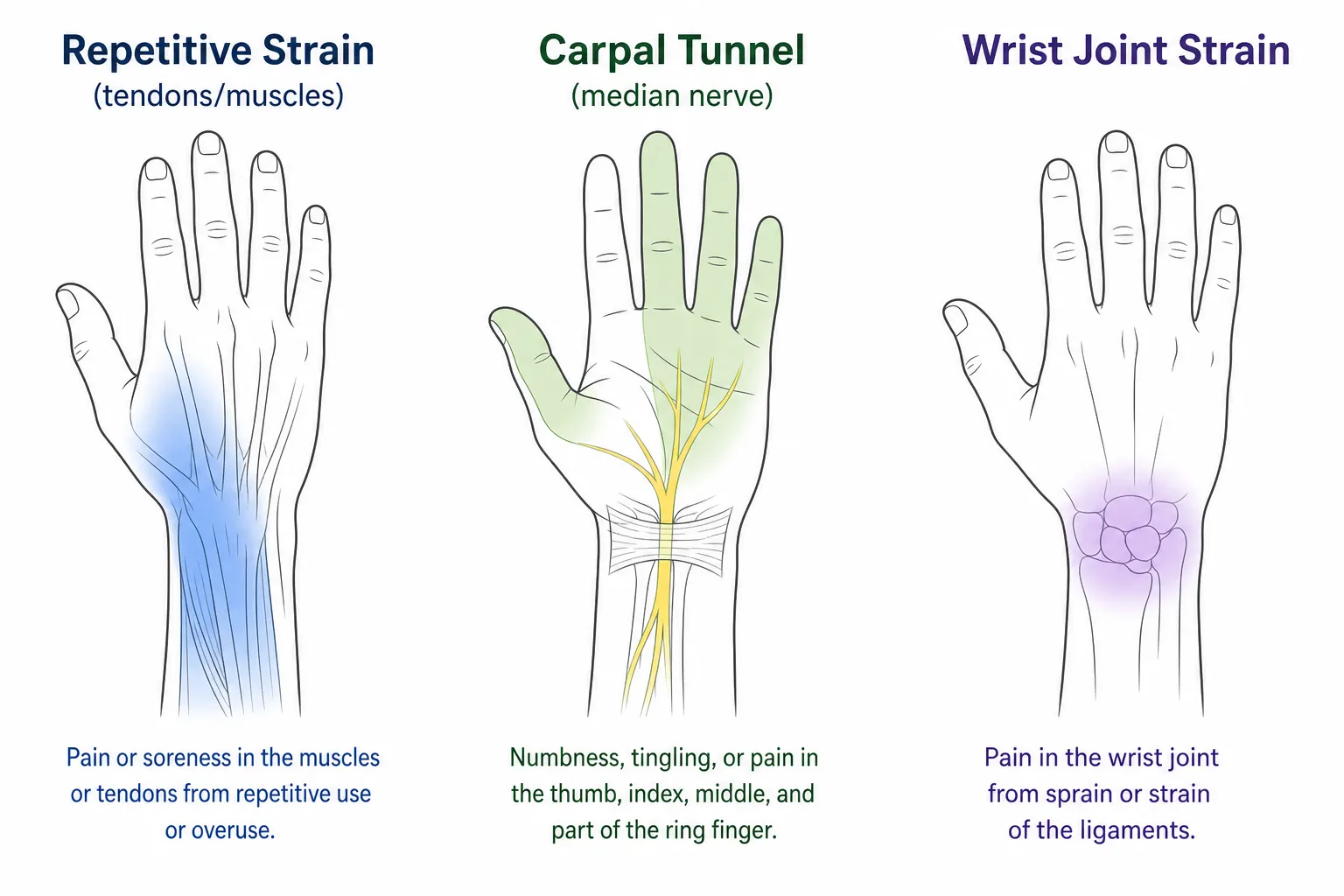
RSI and repetitive strain
RSI is not one diagnosis with one mouse solution. In computer work, relevant task demands can include repeated clicking, sustained grip, button force, static hand posture, scrolling, and frequent cursor corrections. A different mouse may change how those demands are distributed, but it should be assessed together with task habits, pointer settings, shortcuts, breaks, and the rest of the workstation.
OSHA’s pointer and mouse guidance emphasizes keeping the pointing device close, maintaining a neutral position, using a light touch, and choosing a device that fits the hand. For repeated work, remapping a comfortable button, using keyboard or browser shortcuts, adjusting double-click speed, and enabling an operating system’s click-lock feature can reduce some repeated clicking or dragging. These settings change task demand; they do not treat RSI.
Also look beyond the total number of clicks. Long drag operations, holding a button while moving, gripping through precise design work, and keeping fingers poised above stiff controls can create sustained demand even when click counts are modest. Task variation may help distribute work, but alternating devices only makes sense when both devices fit and neither introduces a clearly uncomfortable control pattern.
Arthritis and arthritic fingers
Arthritis varies significantly, so no mouse is appropriate for every arthritic hand. Useful comparison points include button effort, reachable controls, grip demand, shell stability, hand-size fit, remapping, and alternative control methods. A stable trackball may suit someone who dislikes lifting or sweeping a mouse, while another person may find a large ball or repeated thumb control difficult. The NIAMS arthritis overview explains why symptoms and functional needs can differ by arthritis type and person.
Dexterity needs matter as much as mouse category. Check whether the device stays steady during a click, whether the scroll wheel needs a pinching motion, whether side controls can be reached without shifting the whole hand, and whether software can move frequent commands to easier controls. If grip strength, coordination, or joint movement is significantly limited, individual advice from a clinician or occupational therapist is more useful than a general product ranking.
Index finger, trigger finger, and pinky reach
When the index finger performs most repeated work, check primary-button reach, actual actuation effort, click frequency, double-click settings, click-lock, keyboard shortcuts, and whether a comfortable button can be remapped. A low-effort control may change the task demand, but it does not treat index-finger pain.
Repeated clicking and gripping may also be relevant when someone is concerned about trigger finger, but this article cannot determine whether locking or catching is trigger finger. Locking, catching, swelling, or persistent symptoms deserves professional evaluation. Pinky discomfort calls for a fit check: a wide shell, forced finger spreading, squeezing, or awkward side-button access can all make the hand work harder without identifying a diagnosis.
For index-finger work, review which actions dominate the day. Double-clicking, selecting text, dragging files, holding a design handle, and repeated browser navigation place different demands on the same finger. Move only frequent commands to a reachable alternate button or keyboard shortcut; filling every programmable control can create more searching, stretching, and accidental clicks.
Thumb workload and trackball choice
A thumb trackball reduces device travel but concentrates pointer control in the thumb. A finger- or palm-operated trackball transfers that control toward the fingers or palm. Workload is transferred, not eliminated, and a thumb rest does not automatically reduce thumb workload. Compare ball reach, button reach, grip stability, and the amount of practice the control method requires. Thumb tendonitis or De Quervain’s concerns warrant cautious fit testing and professional advice rather than a diagnosis-based product prescription.
How We Chose These Mice
- Click and button use: main-button feel, repeated-click demand, remapping options, and whether side buttons are reachable without stretching.
- Hand fit: shell length, width, height, thumb position, pinky support, and whether the hand must pinch, hover, or squeeze.
- Control method: moving vertical mouse, thumb trackball, or finger-operated trackball—and where each format transfers work.
- Adjustment and software: pointer sensitivity, button customization, click-lock, shortcuts, and task variation.
- Stable product facts: exact linked variant, handedness, connection, charging or battery type, and manufacturer-supported specifications. Price, rating, review count, and stock were excluded because they change.
The Reviews
1. Logitech Lift Vertical: Best Overall for Compact Fit and Quiet Clicks
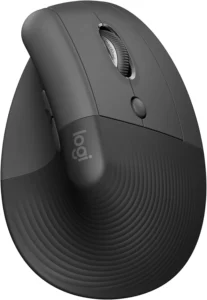
The Lift keeps the familiar movement of a mouse while changing the hand to a 57° vertical orientation. Its compact shell, textured grip, thumb rest, quiet main clicks, and relatively easy-to-reach controls make it the broadest starting point here for small-to-medium hands. Quiet clicking describes sound, not a guaranteed actuation force, so test the buttons rather than relying on the label.
Its Hand/Finger role is fit and access rather than a promise about pain: the shorter body can reduce overreach for a smaller hand, while the conventional left and right buttons preserve familiar index- and middle-finger control.
- Best for: Small-to-medium hands that want a compact vertical shape and quiet controls.
- Skip if: The hand overhangs, the pinky is squeezed, or the thumb buttons require stretching.
- Main trade-off: The whole device still moves, so grip and travel remain part of the workload.
- Setup note: Use Logi Options+ to set comfortable shortcuts, then tune pointer speed without sacrificing control.
- Verified specifications: Linked Graphite right-hand model; 57°; six buttons; Bluetooth Low Energy or Logi Bolt; one AA battery with manufacturer-rated life up to 24 months.
Check the current Amazon listing for Logitech Lift Vertical
2. Logitech ERGO M575S Trackball: Best Thumb Trackball for Stationary Control
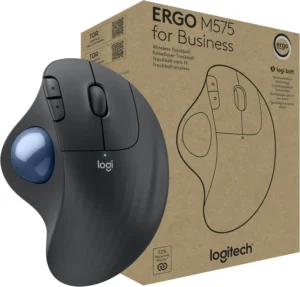
The M575S stays in place while the thumb rolls the ball. That can reduce reaching, sweeping, and device travel, but it transfers repeated cursor work into the thumb. Its mouse-like right-hand shape can make stationary control approachable, and the current S generation adds quiet clicking compared with the earlier M575.
Judge the ball and button reach together. A supported palm does not help if the thumb must stretch to the edge of the ball or the index finger hovers to reach the main button.
- Best for: Limited desk space or a preference for stationary control when thumb movement is acceptable.
- Skip if: The thumb is already overloaded or cannot reach the ball without stretching.
- Main trade-off: Less device travel in exchange for concentrated thumb control.
- Setup note: Use the three customizable controls in Logi Options+ for shortcuts that reduce repeated actions.
- Verified specifications: Right-hand thumb trackball; five buttons; Bluetooth Low Energy or Logi Bolt; one AA battery with manufacturer-rated life up to 18 months; up to 2000 DPI.
Check the current Amazon listing for Logitech ERGO M575S
3. Anker 2.4G Wireless Vertical: Best Low-Cost Vertical Trial
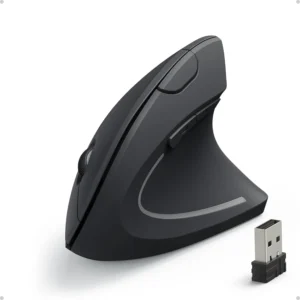
The Anker is the simple way to test a right-hand vertical format without paying for premium software or adjustment. It has three sensitivity levels and a USB receiver, but no Bluetooth, rechargeability, or remapping platform. Its standard clicks make it less suitable when quiet or especially light-feeling controls are the main priority.
The simple feature set can be useful when the goal is to compare a vertical orientation with a familiar mouse. It is not the stronger choice for dexterity needs that depend on software remapping or carefully positioned extra controls.
- Best for: A lower-cost trial of vertical moving-mouse control.
- Skip if: You need Bluetooth, rechargeable power, quiet clicks, or programmable controls.
- Main trade-off: Low cost with basic connection and fit options.
- Fit note: Check primary-button and side-button reach; a vertical label does not guarantee a good hand fit.
- Verified specifications: 800/1200/1600 DPI; 2.4 GHz USB receiver; powered by two AAA batteries, not one AA.
Check the current Amazon listing for Anker 2.4G Vertical
4. ELECOM HUGE Trackball: Best Finger-Operated Trackball
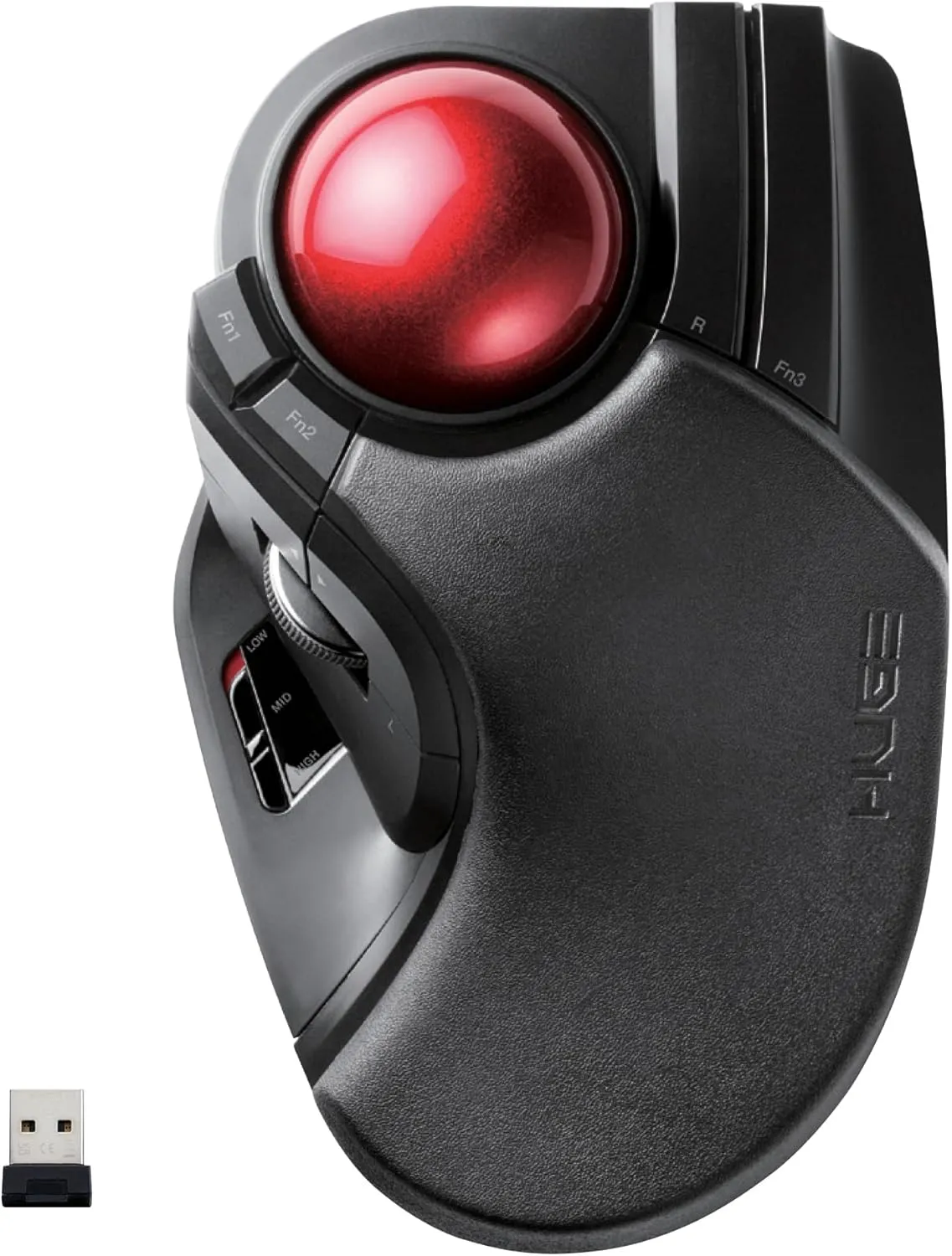
The wireless ELECOM HUGE moves cursor control away from a thumb ball and toward a 52 mm ball operated by the index and middle fingers or palm. That makes it the clearest alternative when thumb-operated control is not wanted. It does not remove hand work: the fingers control the ball, and the large shell and button layout must match the hand.
The large ball allows different control techniques, including more finger or palm involvement, but that flexibility requires practice. The best technique is the one that remains accurate without forcing the fingers to hover or reach across the shell.
- Best for: Stationary control without a thumb-operated ball, plus extensive remapping.
- Skip if: The large right-hand-oriented shell forces finger spreading or makes buttons hard to reach.
- Main trade-off: Thumb avoidance in exchange for finger/palm workload, size, and adaptation.
- Setup note: Map only comfortably reachable buttons; a shortcut is not useful if the reach creates more strain.
- Verified specifications: M-HT1DRBK wireless USB model; 52 mm ball; eight programmable buttons and one scroll wheel.
Check the current Amazon listing for ELECOM HUGE
5. Contour Unimouse: Best Adjustable Fit
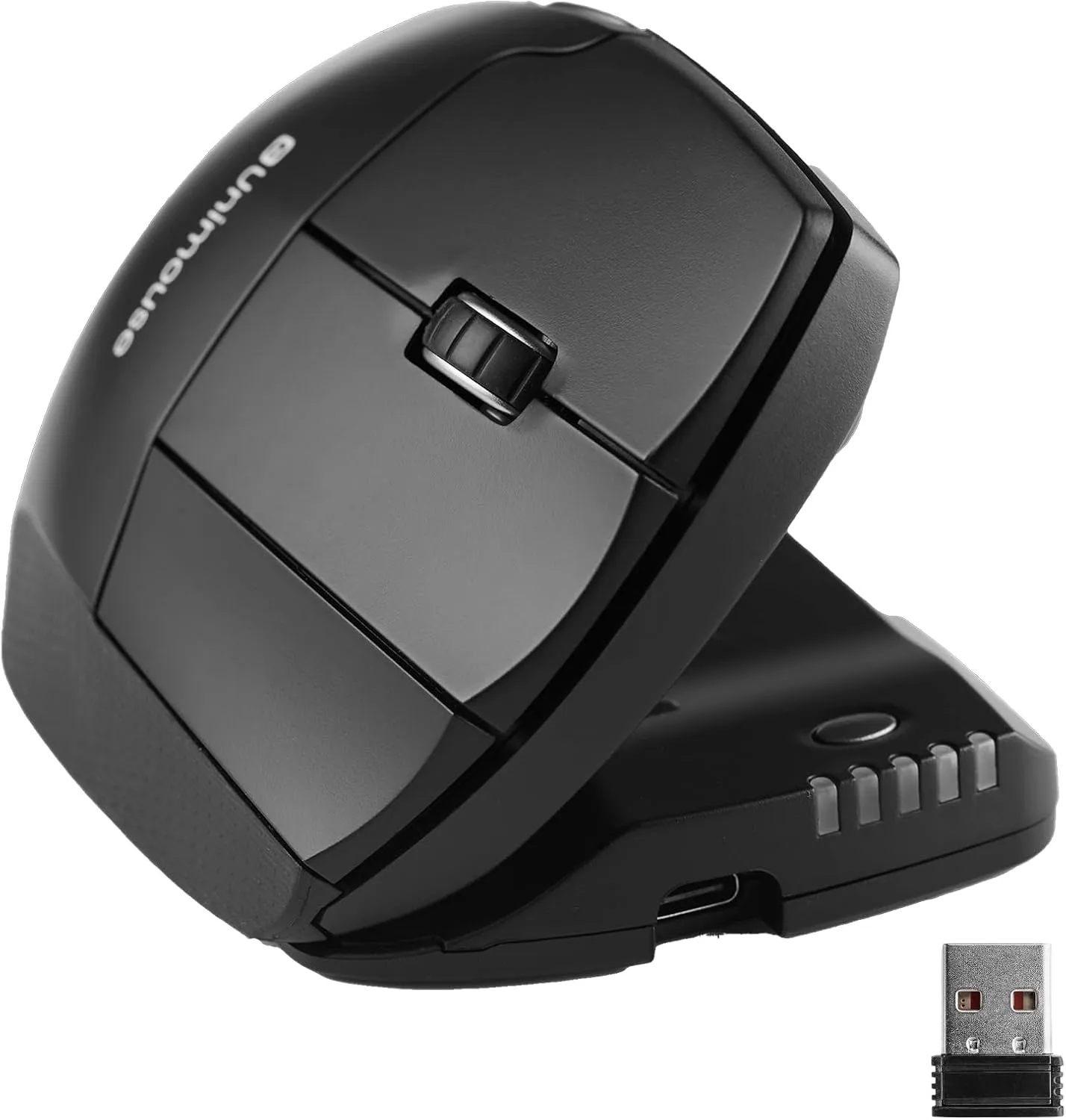
The linked wireless right-hand Unimouse adjusts from 35° to 70°, while its thumb support can slide, pivot, and change position. That adjustability is useful when a fixed shell creates squeezing, poor thumb placement, or difficult button reach. It still moves across the desk and takes time to tune.
Adjustment is most useful when it solves a specific fit problem. Start with a stable grip and reachable buttons, then change the tilt or thumb support in small steps instead of continually moving every control.
- Best for: Readers who want to tune tilt and thumb-rest position to their hand.
- Skip if: You want a simple fixed shape or lower price.
- Main trade-off: More fit control with more setup and purchase cost.
- Setup note: Adjust one variable at a time, then test grip stability, button reach, and pointer accuracy.
- Verified specifications: Wireless rechargeable right-hand variant; 35°–70° adjustable tilt; adjustable thumb support; programmable controls.
Check the current Amazon listing for Contour Unimouse
6. ProtoArc EM11 NL: Best Rechargeable Quiet-Click Value
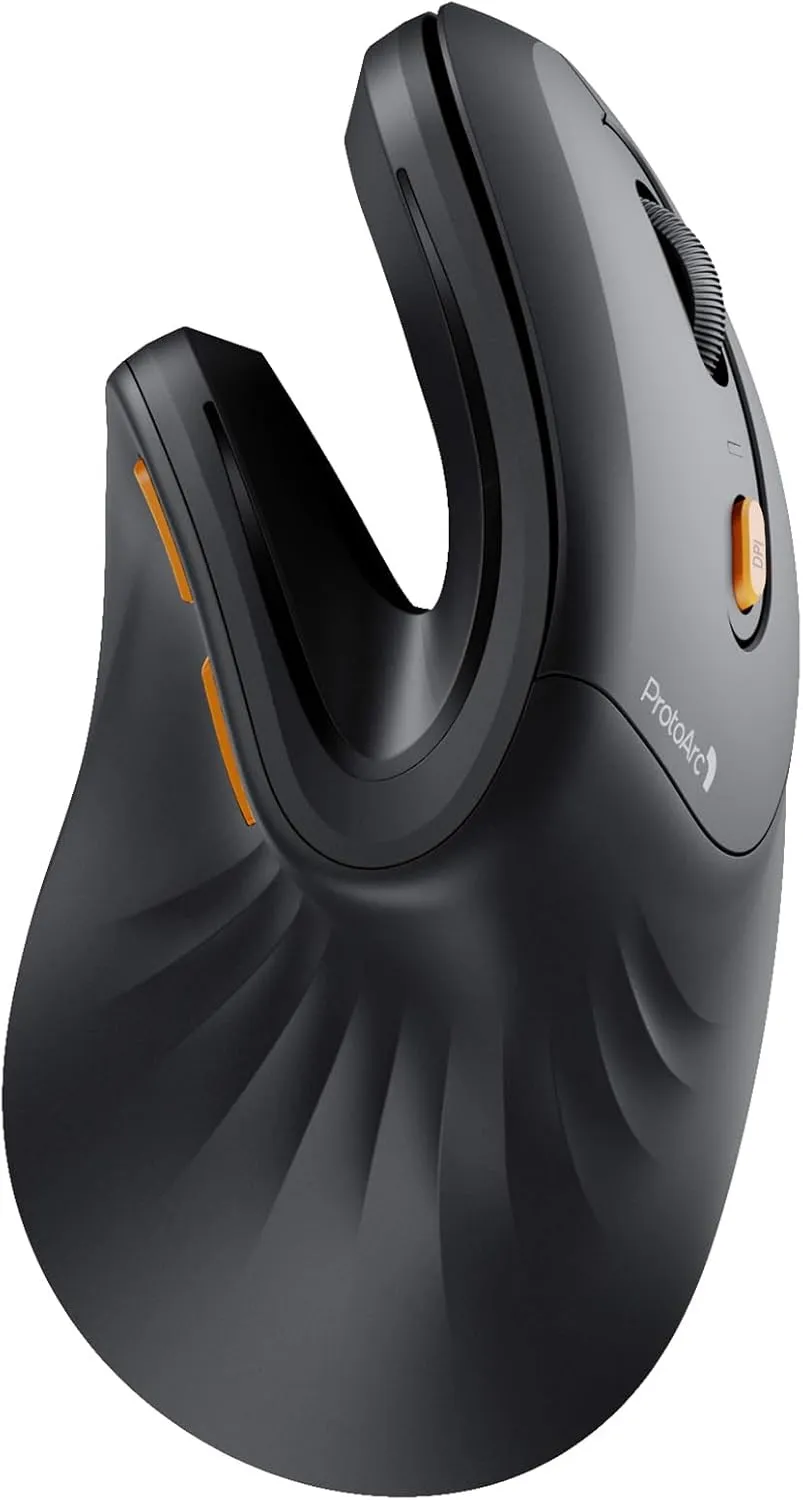
The EM11 NL combines a fixed 58° vertical shape, quiet clicking sound, rechargeability, and switching among three devices. Its manufacturer positions it for small-to-medium hands. The buttons are not programmable, and quiet sound should not be treated as proof of low actuation force.
Its Hand/Finger role is straightforward: a compact vertical shape with quiet sound and no disposable battery changes. The trade-off is less fit adjustment and no way to move frequent commands onto custom buttons.
- Best for: Small-to-medium hands that value quiet sound, rechargeability, and multi-device connection.
- Skip if: You need large-hand fit, adjustable geometry, or button remapping.
- Main trade-off: Useful connection features in a lightweight, fixed shell.
- Fit note: Check whether the thumb rest and primary buttons are reachable without pinching or hovering.
- Verified specifications: 58°; 1000/1600/2400 DPI; 500 mAh rechargeable battery; two Bluetooth channels plus 2.4 GHz USB receiver; non-programmable buttons.
Check the current Amazon listing for ProtoArc EM11 NL
Buying Guide: Fit, Grip, Clicking, and Control
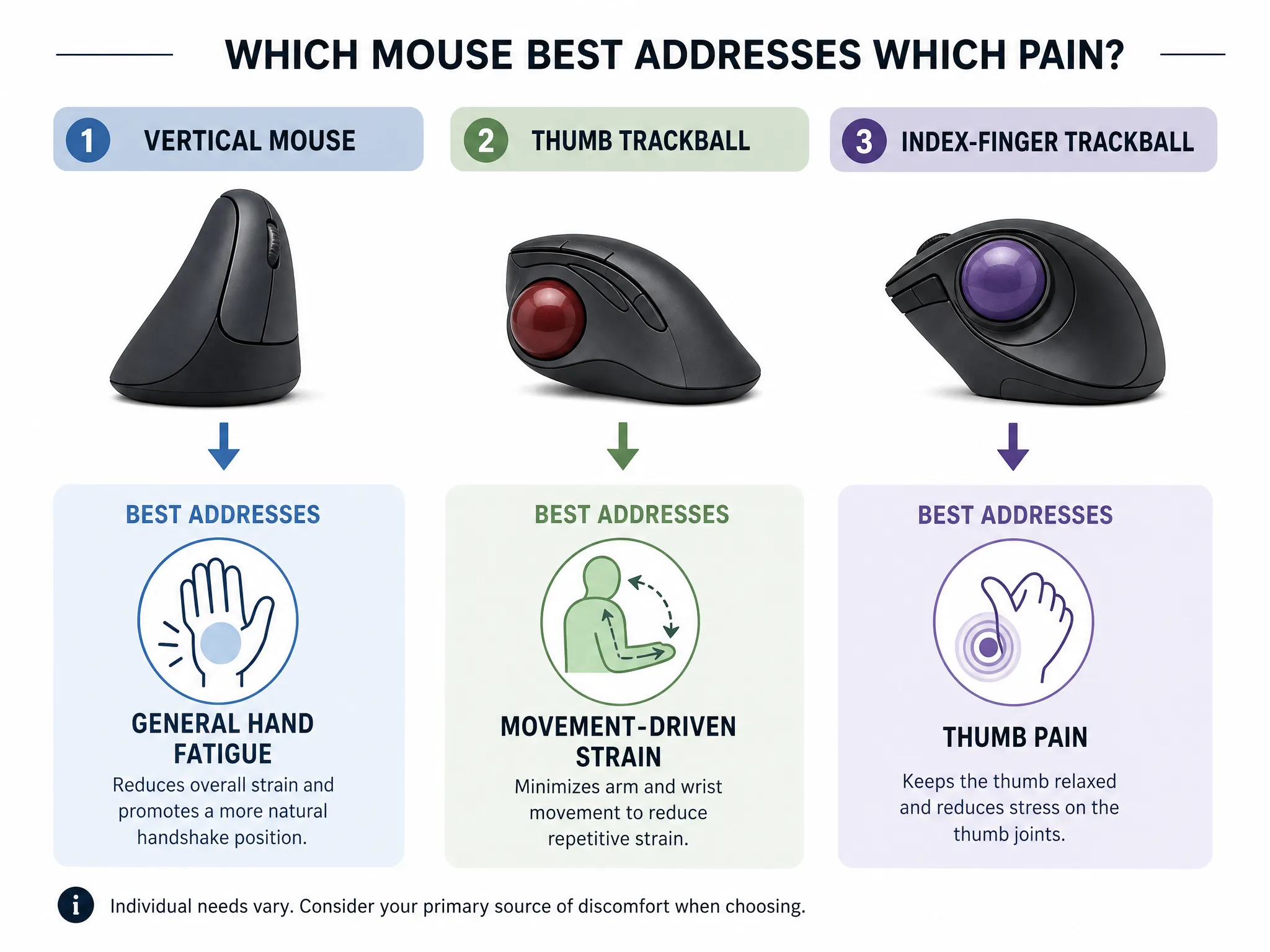
Check shell length, width, and height together. The palm should feel stable without overhanging excessively, while the index and middle fingers reach the primary buttons without stretching. A wide shell can force the pinky outward; a narrow or short shell can encourage pinching, clawing, hovering, or constant repositioning. Avoid rigid hand-size cutoffs unless the manufacturer supports them. A practical return window is more useful than a universal measurement rule.
Judge button reach and effort in the real task. Manufacturers rarely publish actuation force, and “quiet” describes sound rather than force. Test single clicks, double-clicks, dragging, scrolling, side buttons, and any modifier-button combinations you use repeatedly. If the index finger does most of the work, adjust double-click speed, try click-lock for long drags, use keyboard and browser shortcuts, and remap only buttons that remain comfortable to reach.
Watch grip tension and pinch grip. The pointer should remain controllable without squeezing the sides. Check whether the thumb and pinky have stable places to rest, whether fingers hover above the buttons, and whether the shell moves when the grip relaxes. Surface friction, mouse weight, sensitivity, and desk position can change how tightly the device must be held.
Choose the control method by workload, not symptom severity. A moving vertical mouse changes orientation while retaining device travel. A thumb trackball makes the device stationary but assigns cursor motion to the thumb. A finger or palm trackball shifts that task away from the thumb but may demand more finger control, desk space, and practice. Every format transfers work somewhere.
Use software settings carefully. A slightly higher pointer speed may reduce wide sweeps, but excessive sensitivity can create more corrective movements. Click-lock can reduce sustained button holding during drag operations. Keyboard shortcuts, browser shortcuts, and comfortable programmable buttons can reduce repeated clicking. Vary tasks where practical instead of relying on one device to prevent or treat a condition.
Keep the mouse close. Position it beside the keyboard rather than beyond a wide number pad, and avoid hard pressure at the wrist crease. The keyboard and mouse height guide, laptop ergonomics guide, and monitor setup guide cover the surrounding workstation. If you use a rest, see the wrist-rest guide and avoid anchoring the wrist on a hard edge while the mouse moves.
Run a complete return-window test. Check ordinary pointing, precise selection, scrolling, long drags, text editing, side-button use, and the busiest task in your day. Note whether the grip tightens as accuracy demands rise and whether any finger repeatedly loses its resting place. A mouse that feels soft for five minutes may still be a poor match after sustained work, while an unfamiliar trackball may need practice before accuracy can be judged fairly. There is no fixed adaptation or improvement timeline.
Common Buying Mistakes
- Choosing by a diagnosis label. Pain location alone does not identify the cause or guarantee that one control method will suit the hand.
- Assuming quiet means low-force. Treat sound and actuation effort as separate characteristics.
- Ignoring width and side-button reach. A shell can force squeezing, finger spreading, or thumb overreach even when its category sounds appropriate.
- Expecting a fixed adaptation timeline. New control methods vary in learning demand. Introduce them when work is manageable, adjust settings gradually, and stop if the new workload is increasingly uncomfortable.
- Treating the mouse as medical care. A device can change task exposure, but it does not diagnose, treat, or prevent RSI, arthritis, trigger finger, tendonitis, or another condition.
Frequently Asked Questions
What type of mouse is easier on the fingers?
Look for reachable primary buttons, a stable shell that does not require squeezing, and controls you can operate without stretching or hovering. Quiet clicks may feel pleasant but do not prove low actuation force. Fit and actual button feel matter more than the word “ergonomic.”
Can mouse clicking contribute to finger discomfort?
Repeated clicking, sustained button holding, and gripping can be relevant task demands. Reduce unnecessary repetition with click-lock, shortcuts, double-click settings, or comfortable remapping where practical. These changes adjust workload; they do not identify the medical cause of discomfort.
Is a finger trackball better than a thumb trackball?
Neither is universally better. A thumb trackball concentrates pointer control in the thumb. A finger or palm trackball shifts that control elsewhere but may increase finger workload, device size, and learning demand. Choose by ball reach, button reach, accuracy, and the workload you want to transfer.
What mouse features may suit arthritic fingers?
Compare button effort, reachable controls, shell stability, grip demand, hand fit, remapping, and alternative control methods. Arthritis and dexterity needs vary greatly, so use a return window and seek individual clinical or occupational-therapy advice when function is significantly limited.
Can remapping buttons reduce repeated clicking?
It can reduce a specific repeated action when the remapped button is comfortable to reach. Common examples include browser back, paste, or another frequent command. Do not trade fewer clicks for an awkward thumb stretch or forced finger position.
How should a mouse fit the hand?
The palm should feel stable, the primary buttons and wheel should be reachable, and the thumb and pinky should not be forced to squeeze or spread. Check the fit during clicking, dragging, scrolling, and side-button use—not only while the hand is resting.
What if a finger locks, catches, becomes numb, or feels weak?
Do not use a mouse purchase to delay evaluation. Locking, catching, swelling, persistent numbness, weakness, worsening symptoms, or loss of coordination deserves assessment by a qualified health professional.
Final Recommendation
Start with the workload and fit check, not a symptom label. The Logitech Lift is the compact vertical starting point; the M575S is the stationary thumb-control option; Anker is the lower-cost vertical trial; ELECOM HUGE shifts trackball control toward the fingers or palm; Unimouse offers adjustable tilt and thumb support; and ProtoArc combines quiet sound, rechargeability, and multi-device use for small-to-medium hands.
Whichever format you try, check click effort, button reach, grip tension, thumb and pinky position, shell stability, and cursor control together. Use the return window, adjust settings gradually, and seek professional evaluation when symptoms persist or function changes.